Work your pipeline
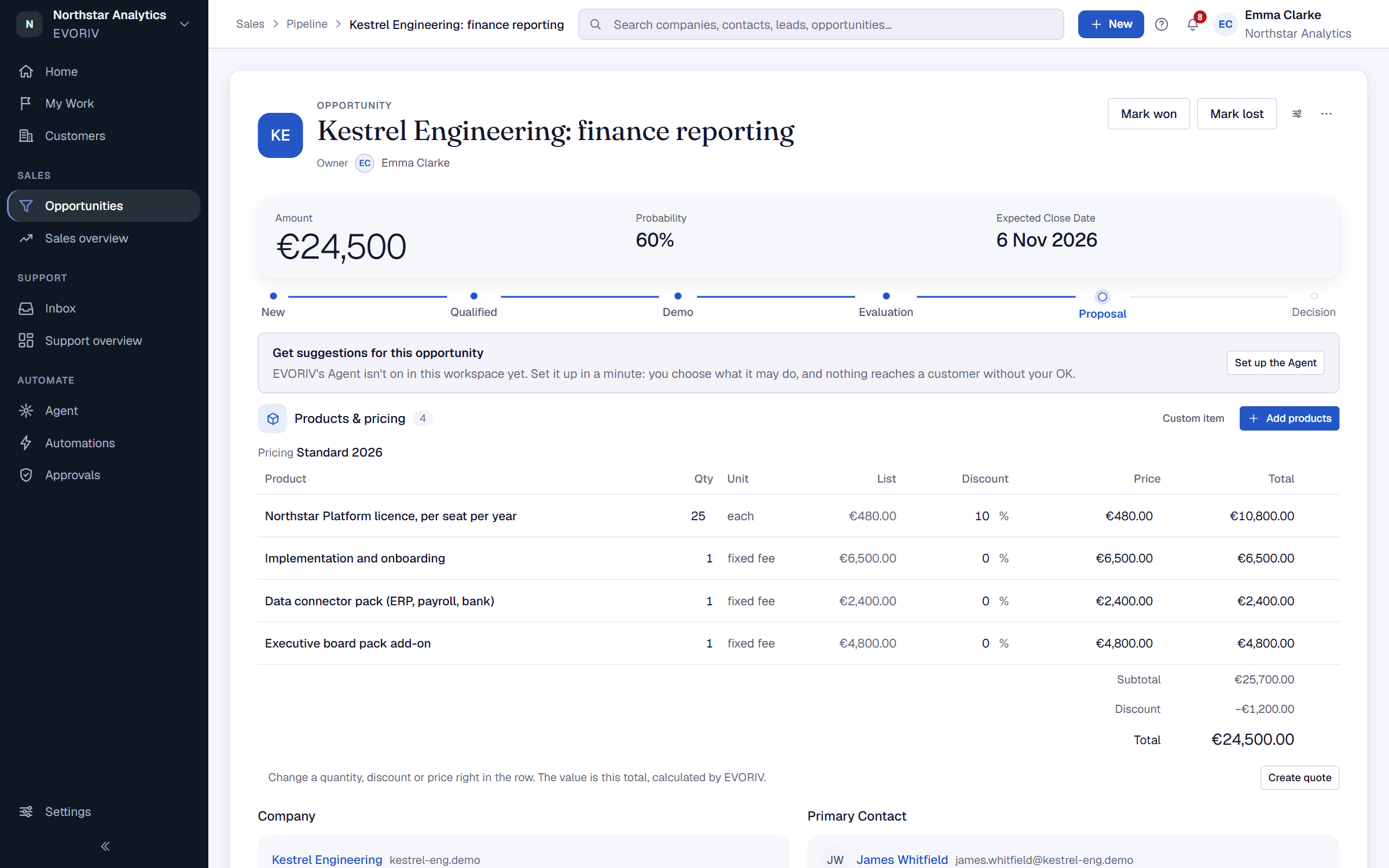
See every open opportunity by stage on the Pipeline board or as a list, and move deals forward.
Open Opportunities in the sidebar. It has three tabs: List, Pipeline and Quotes.
Pipeline shows every open opportunity by the stage it's in. Drag a card to move it forward.
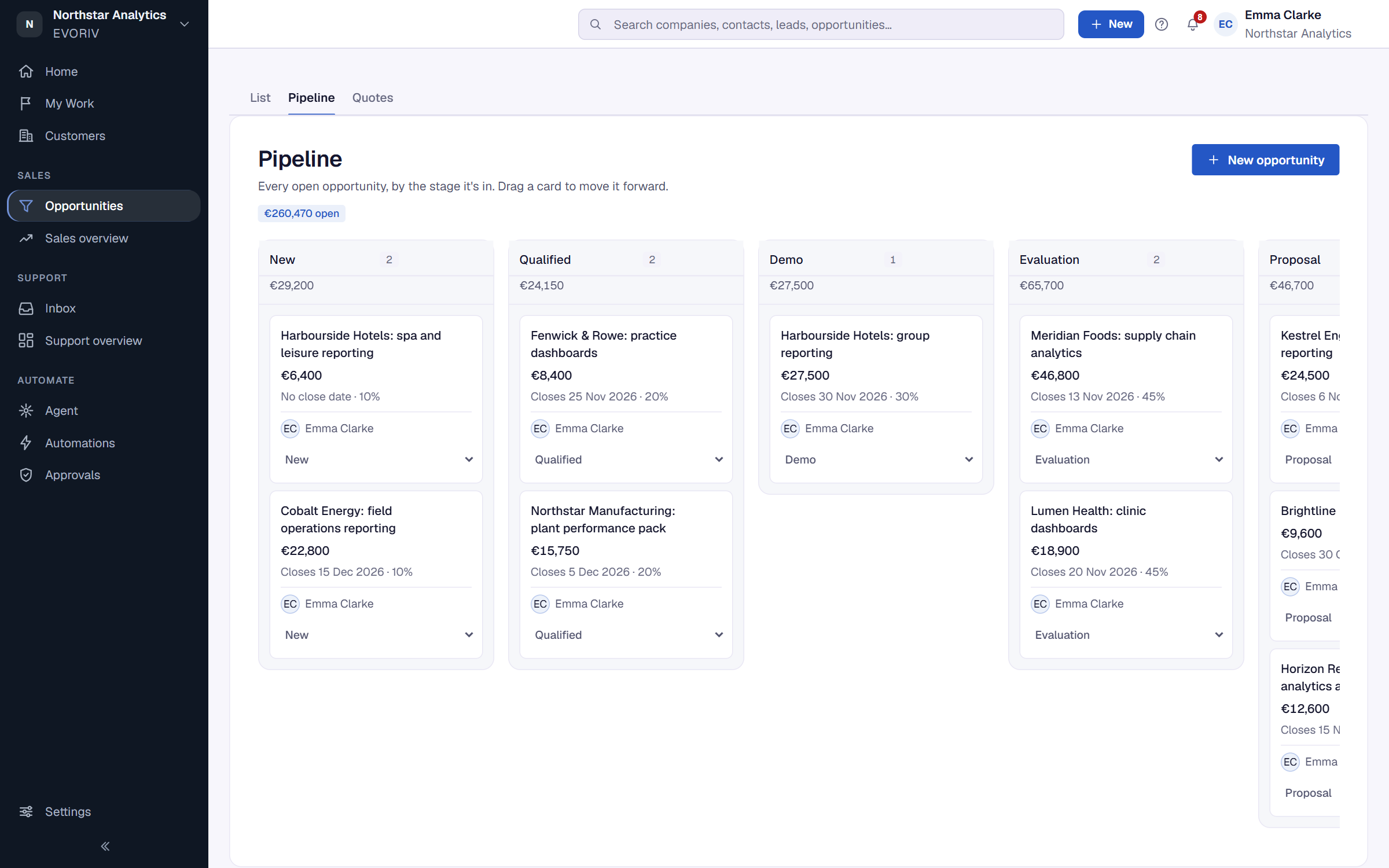
List shows the same deals as a list. Filter it by stage, search by name, and sort by Closing soonest, Highest value or Name A–Z. Above the list, the Forecast group shows Open opportunities, Open value and Won.
Inside an opportunity
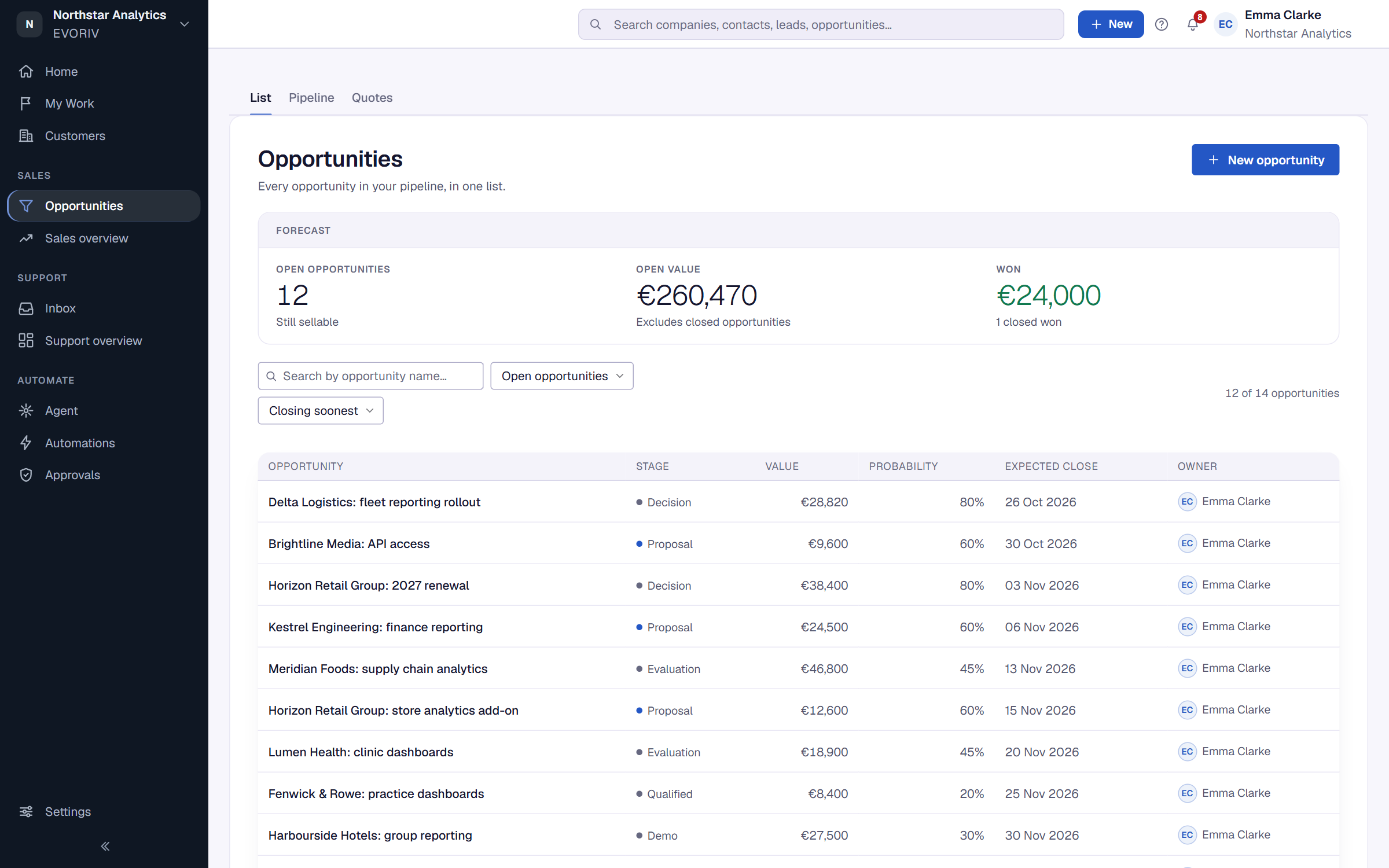
The opportunity shows its stage, value, expected close date and next step, together with its company, contact, activity and tasks. Select a stage on the stage bar to move it.