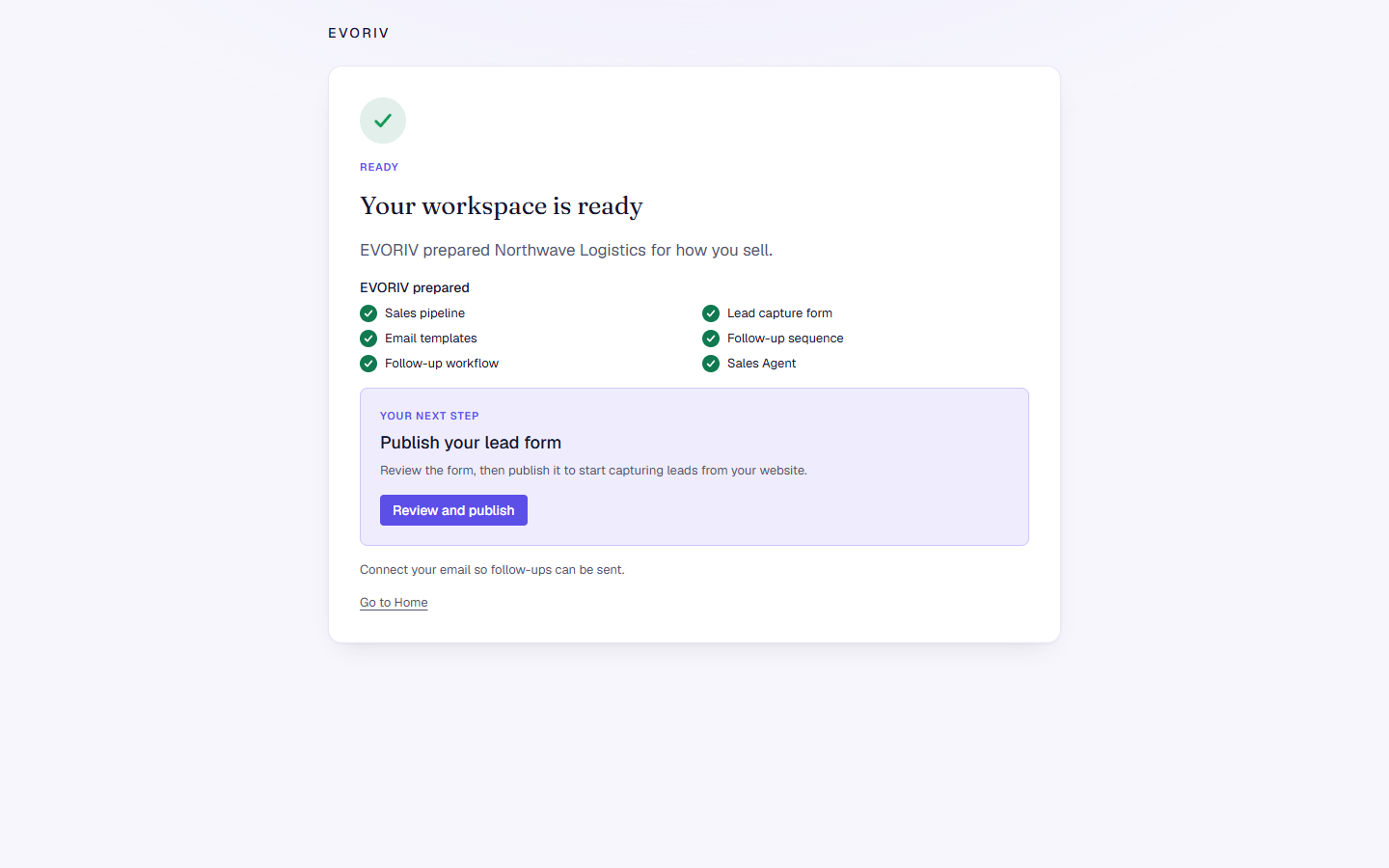
Set up your workspace
Tell EVORIV how you sell, review its proposal and plan, and let it build your workspace.
Setup has six steps. Your answers are saved as you go, so you can leave and come back: EVORIV resumes where you stopped.
1. Your company
Enter your Company name, and optionally your Website and Country. Then choose what kind of business it is, for example B2B SaaS or Agency or professional services, and How many people work on sales? The business type is a starting point, not a box. Everything stays yours to shape.
2. Your goals
Choose what you want EVORIV to help with: Capture and follow up leads, Manage our sales pipeline, Automate repetitive follow-up, Improve sales visibility, Let AI prepare work or Move from another CRM. Choose as many as you like. Your setup is shaped around them.
3. How you sell
Say what you sell, where most opportunities start (They come to us, We reach out or Both), and the stages a deal moves through. EVORIV recommends stages for your type of business. Rename, remove or add stages; Won and Lost are added for you.
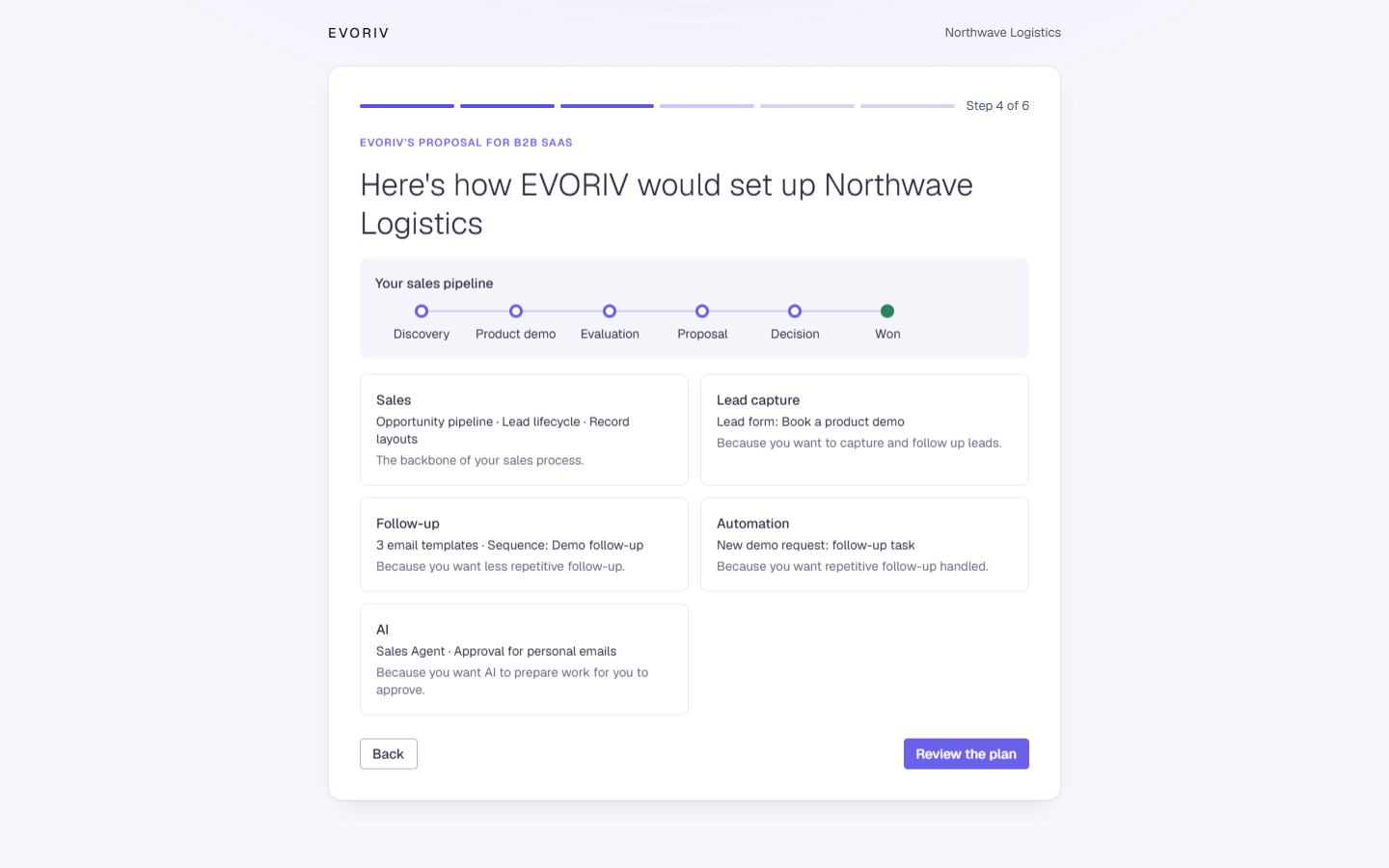
4. EVORIV's proposal
Select See EVORIV's proposal. EVORIV shows how it would set up your workspace, with the reason for each part, for example a lead form because you want to capture and follow up leads.
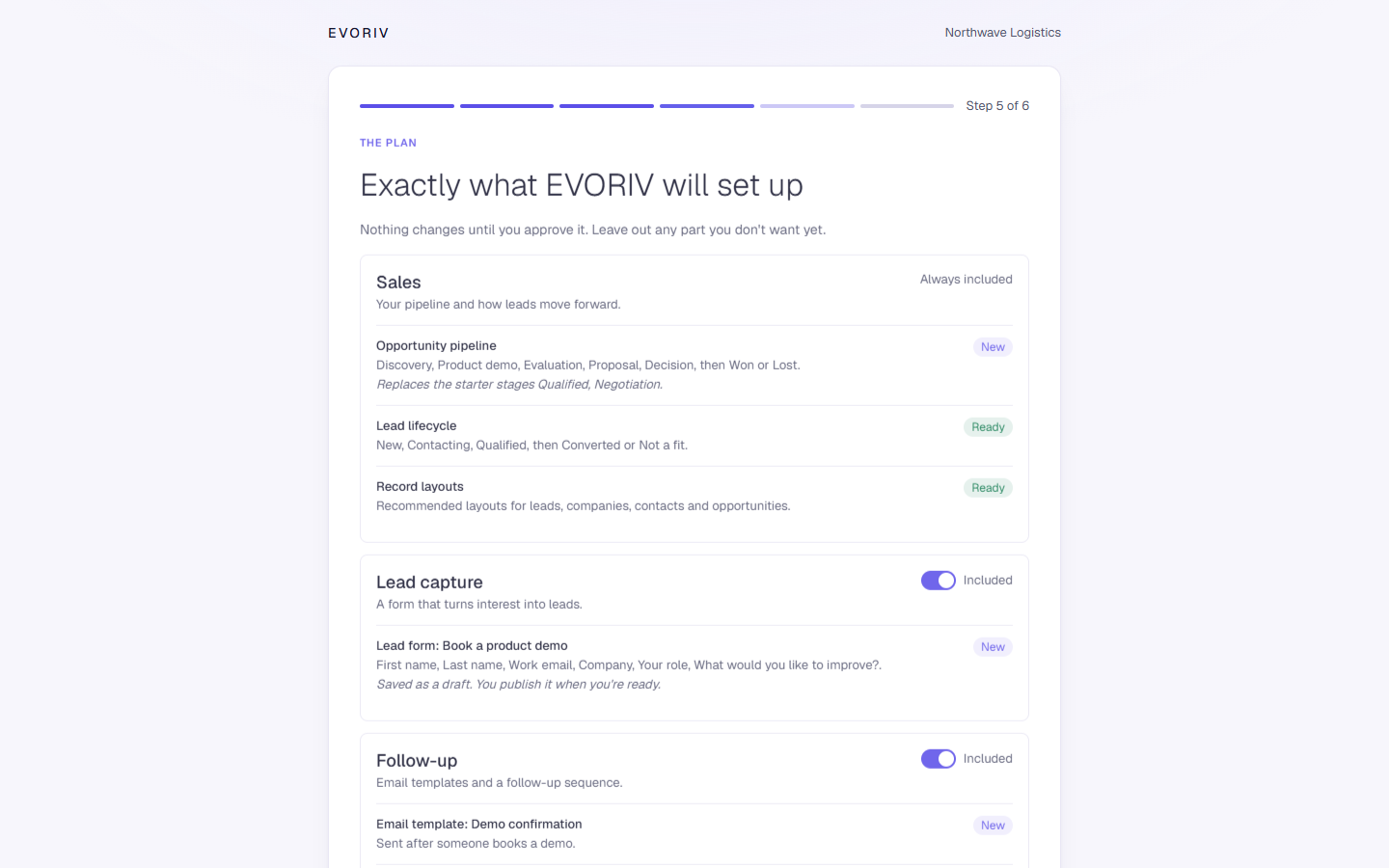
5. The plan
Select Review the plan to see exactly what EVORIV will set up: your pipeline and lead stages, a lead form, email templates, a follow-up sequence, a first workflow and the Sales Agent. Leave out any part you don't want yet. Each item shows whether it is New, Already there or Stays.
6. Build
While you review, EVORIV checks your workspace by itself. Anything that already exists is reused, Good to know explains something to do later, and if something must be fixed first it says so right there and Build my workspace waits until it is. Then select Build my workspace.
If building stops part way, select Try again. It picks up where it stopped, and nothing is created twice.