

For installation and service companies
From the customer's call to a signed work report.
Operations, Planning and Portals work on the same customers and installations as your quotes. The office plans the job, the technician works through it on their phone, and the customer signs on site.
EVORIV Open BetaNo credit card

Sound familiar?
Three things that cost you a working day.
Jobs live on paper and in WhatsApp
Requests come in by phone and message, and the details a technician needs are spread across notes, photos and memory.
Planning is a whiteboard
Who goes where tomorrow is known to one planner, and every change means calling round.
The work report comes back days later
Paper forms get lost or arrive incomplete, so invoicing waits and the customer has no record of what was done.
Your path through EVORIV
- A service request, from a call or the customer portal
- A work order on the customer's installation
- Planned for a technician
- The checklist and photos on the phone
- Signed by the customer on site
- The work report, kept on the customer
The complete service workflow
Eleven steps. One record. No retyping.
This is how a job runs in EVORIV, from the moment a customer gets in touch to the report in their portal. Pick a step to see it.
A service request
The request is recorded on the customer and the installation, with a priority and what was reported, so nothing lives on a sticky note.
Step 2 of 11
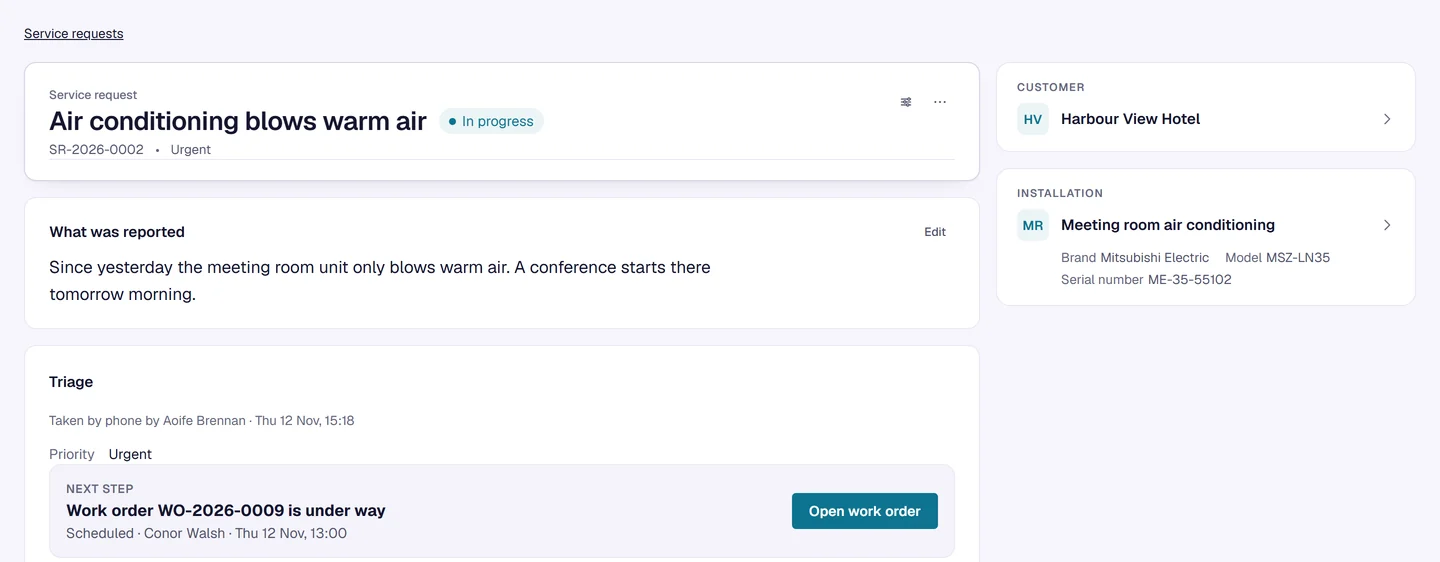
Real EVORIV screens from a demo workspace; companies and people are fictional.
The Apps behind it
Four Apps on one customer record.
- Available todayOperations
Requests, installations, maintenance contracts, work orders and signed work reports.
- Available todayPlanning
The dispatcher board, team calendar, working hours and absence.
- Available todayPortals
A branded portal with a Portal Builder.
- Available todaySales
The quote for a new installation, accepted online.
- Beta, on requestMoneybird
A finished work order becomes a draft invoice.
Operations, Planning and Portals are available to every workspace during Open Beta: add them yourself in Settings, Apps. Travel time between jobs is not estimated.
What EVORIV does
- Work reports the customer signs on site
- A planning board per technician and per day
- Maintenance contracts with a 30-day due list and one-click work orders
- A customer portal in your own brand
- Quotes the customer accepts online
What it does not do yet
- Invoicing: a draft invoice to Moneybird is in beta, on request
- Calculating travel time or optimising routes
- Scheduling maintenance visits without a person confirming and planning them
- A direct link with your old system: switching goes through an export
FAQ
Questions from installers
Is this software for heat pump and HVAC installers?
How does the customer sign the work report?
Can customers report an issue themselves?
Does EVORIV plan routes or estimate travel time?
Does EVORIV invoice the work?
Plan your first job in EVORIV.
Try EVORIV on your own workflows and help shape what we build next. No credit card required.
Sales, Operations, Planning and Portals are available today · Support is rolling out during Early Access