

The customer portal, as your customer sees it
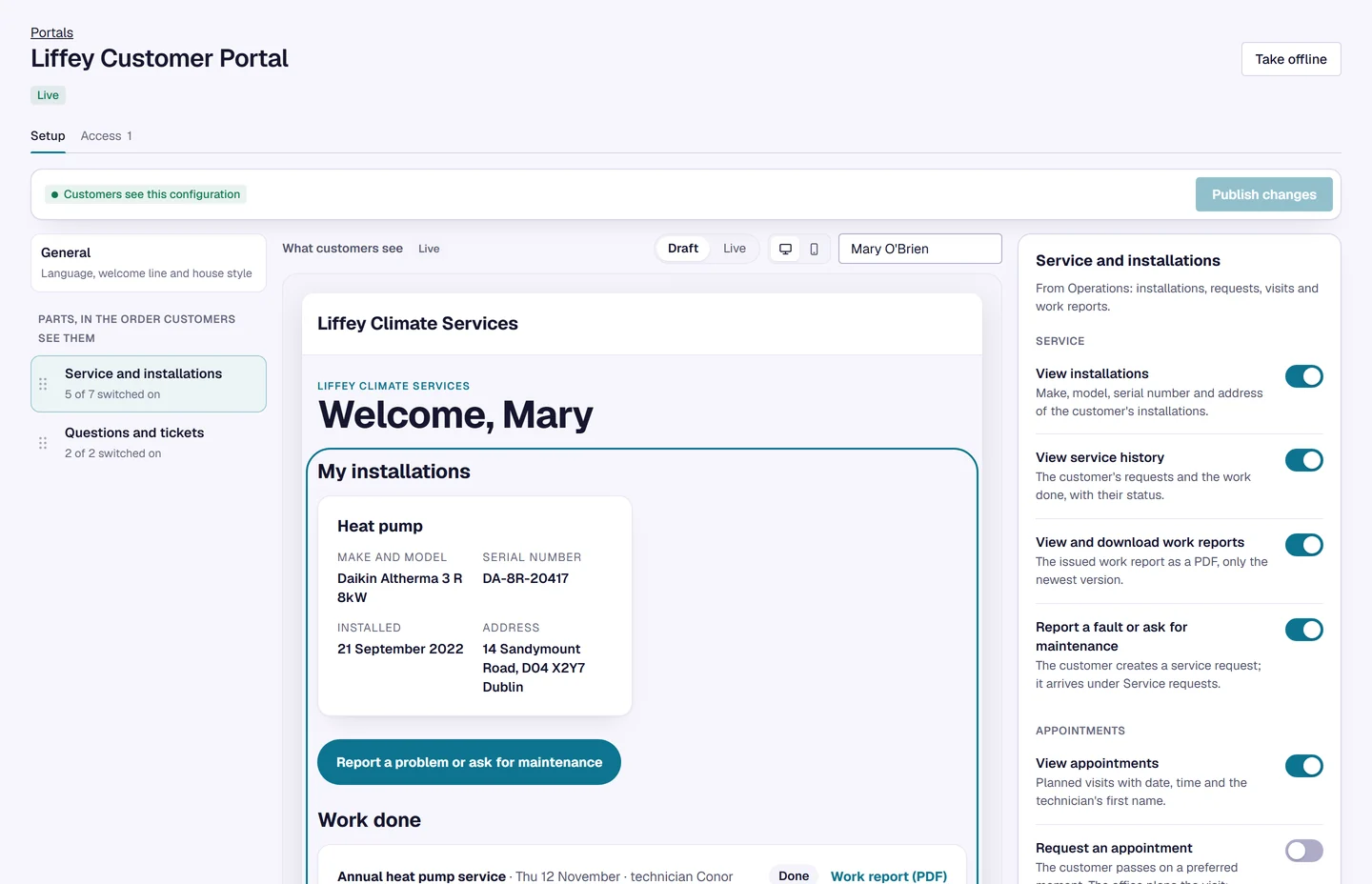
In the Portal Builder you switch parts on or off, such as installations, service history and work reports, and preview the portal as one customer before you publish.
Studio
Studio is the set of visual builders behind every App. They share one way of working: you see what you change, it is saved as a draft, and your team sees it when you publish.
EVORIV Open BetaNo credit card
The builders
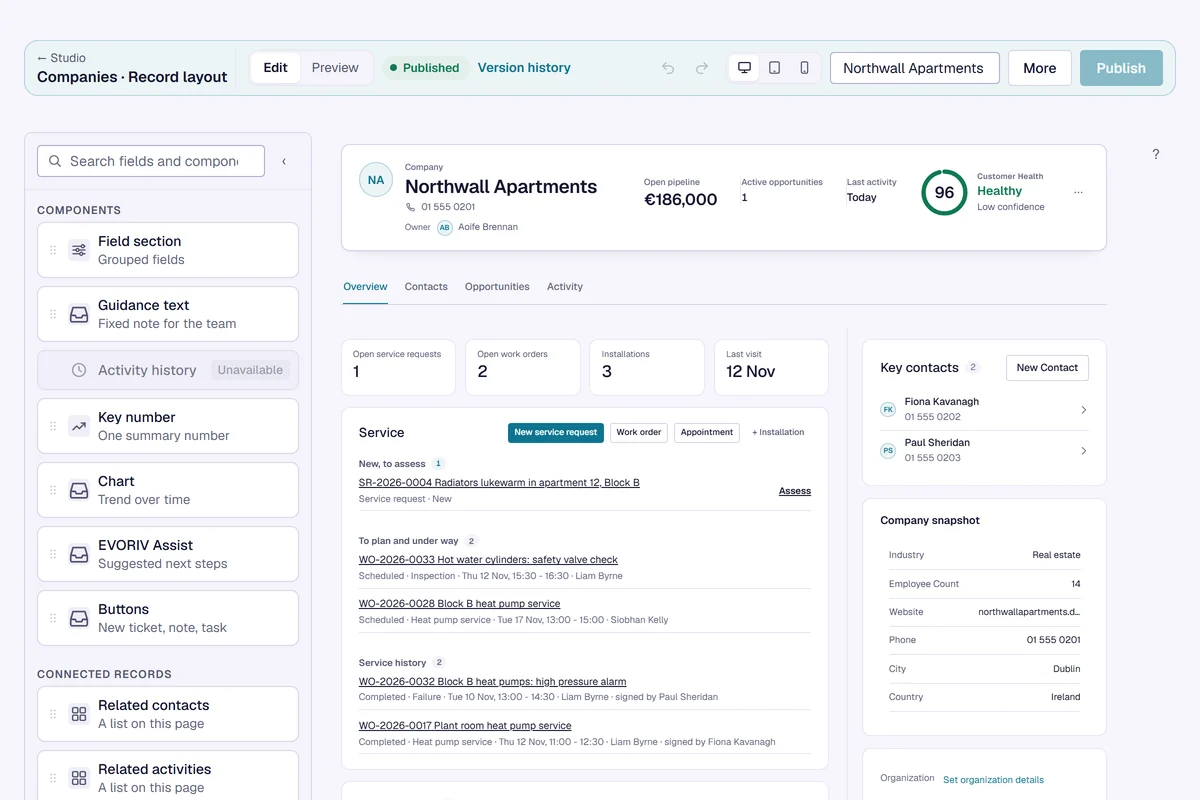
Place fields and App blocks, such as Customer Health or recent feedback, on the pages your team opens every day.
Decide what each App's home page shows first, so the team starts the day with what matters to them.
Branded emails built from blocks, with values from the record, saved as a draft until you publish.
Email signatures in your house style for the people who send from EVORIV.
Website forms you publish as a link or embed; every submission becomes a lead with its source.
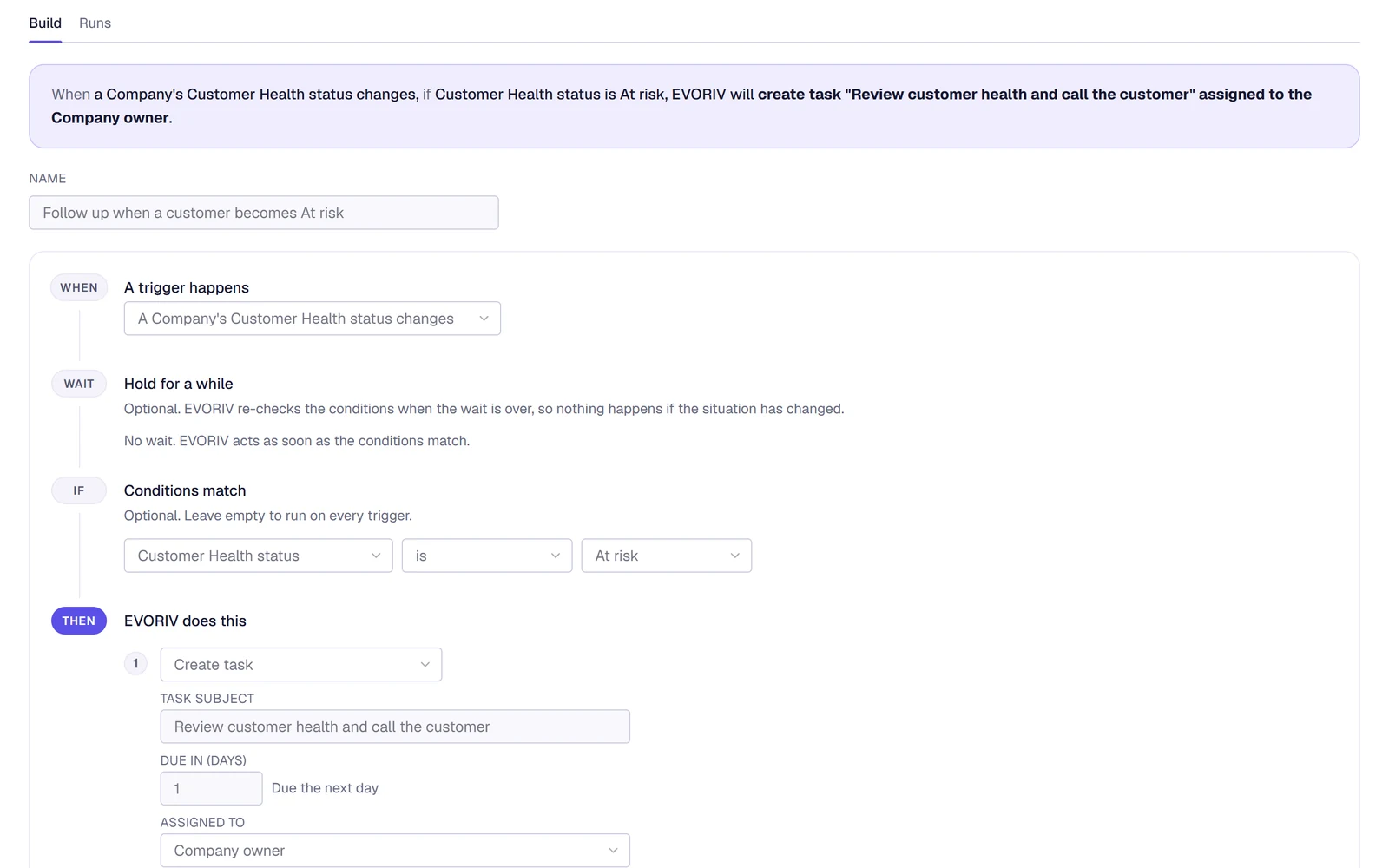
When, wait, if, then: a rule you read as a plain plan before you switch it on.
Choose what your customers see in their portal, preview it as one customer, and publish.
In practice
In the Portal Builder you switch parts on or off, such as installations, service history and work reports, and preview the portal as one customer before you publish.
Decide which fields you keep and, in the Record Page Builder, where they sit. Rename what you track in your own words, such as Customers instead of Companies.
An automation reads as a short plan: when something happens, what EVORIV checks, and what it does. Nothing runs until you switch it on.
Or describe it
Where AI is enabled for your workspace, describe a change in plain words. AI Builder turns it into a plan for the same builders, and an admin applies it. Anything it adds can be changed by hand afterwards.
FAQ
Try EVORIV on your own workflows and help shape what we build next. No credit card required.
Sales, Operations, Planning and Portals are available today · Support is rolling out during Early Access