

Bring your business with you.
Years of data, custom fields and relationships should not hold you hostage to software you have outgrown. The guided import handles the complexity, and shows you every step of it.
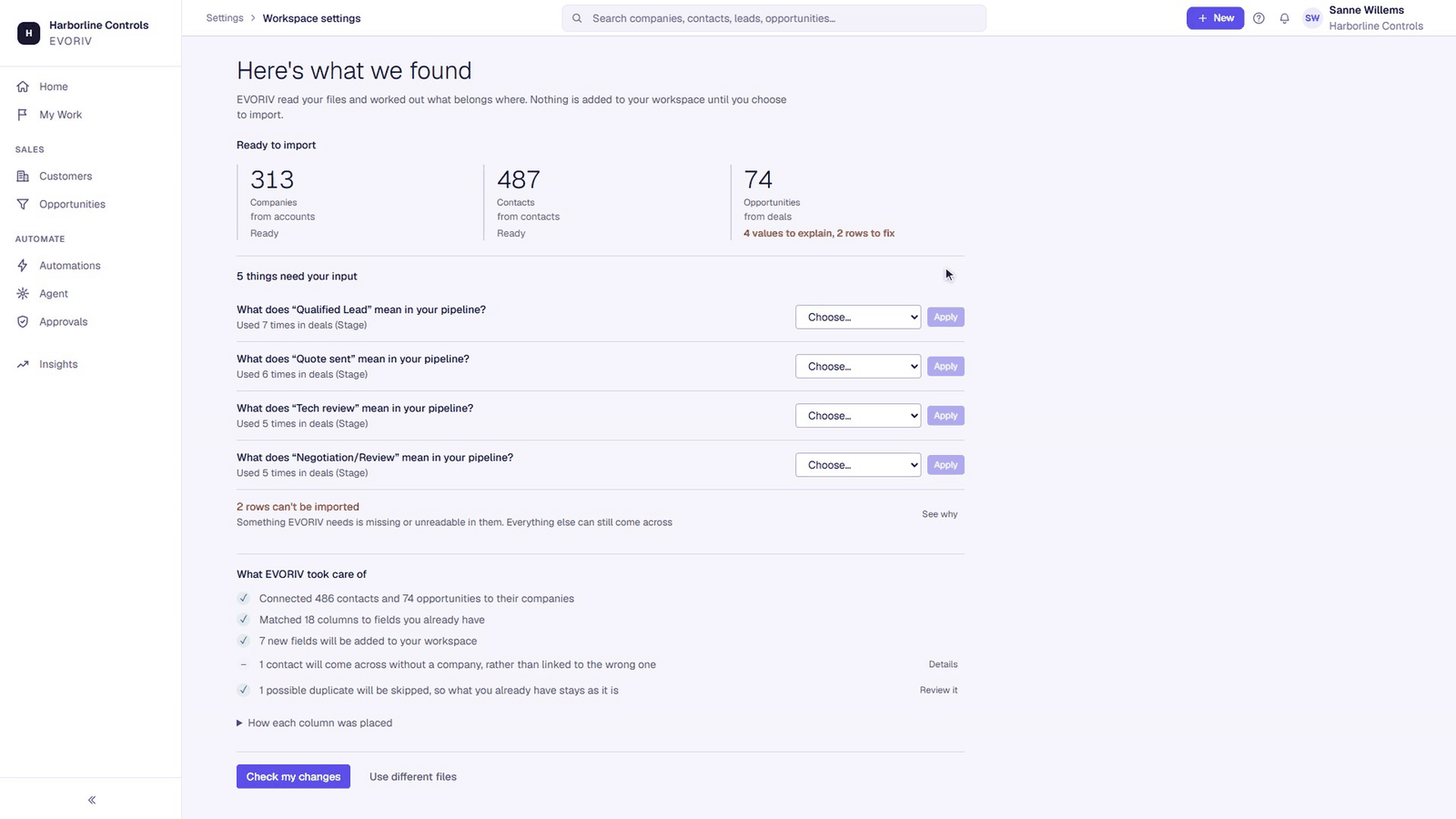
A transparent, step-by-step process.
No magic. Precise, reviewable mapping, and a review step before a single record is committed.
Bring your exports.
Drop in the CSV or Excel exports from your current system or your spreadsheets: several files at once, in any order. No pre-formatting, no template to fill in first.
See what we found.
Each file is read back to you in business terms: what kind of records it holds, how many rows, which columns were recognised, and where the data looks inconsistent.
- Open leads
- 18
- Open deals
- 7
- Pipeline value
- € 214k
- Tasks due
- 4
| Lead | Company | Owner | Status |
|---|---|---|---|
| Ilse Vermeer | Nordkade Logistics | R. van Genechten | Working |
| Tom Berger | Halden Techniek | S. de Wit | Qualified |
| Anna Kruse | Veldhof Groep | R. van Genechten | New |
| Peter Doorn | Kaap Installaties | S. de Wit | Follow-up |
Confirm the fields.
Recognised columns are mapped for you and shown side by side with your own headers. You change anything that looks wrong, and decide what to leave out.
Relationships and duplicates.
Contacts are linked to their companies, and likely duplicates are surfaced before import rather than after, so you are not merging records later.
Details
- Owner
- R. van Genechten
- Primary contact
- Ilse Vermeer
- Open opportunity
- Fleet renewal · € 24,000
- Stage
- Qualification
Next task
Send revised quote Due Friday
Activity
- Email sent: revised pricing
- Call: fleet requirements
- Lead converted: company, contact and opportunity created
Review before anything is written.
You see what will be created, what will be skipped, and why, as counts per file. Nothing is committed to your workspace until you say so.
Your workspace, populated.
Import runs and reports honestly: what came through, and anything that did not. You land in Sales with your own companies, contacts and opportunities in front of you.
What the import does, and what it doesn't.
- CSV and Excel exports
- Companies, contacts, leads and opportunities
- Several files in one migration
- Field mapping you can correct
- Duplicate and relationship review
- A per-file report after import
- Direct connectors to other vendors’ systems
- Migrating historic email threads
- Any guarantee about your specific dataset
We would rather tell you this now than during your migration.
Bring your data across.
Create a workspace, upload your exports, review, and start working.