

The dispatcher board
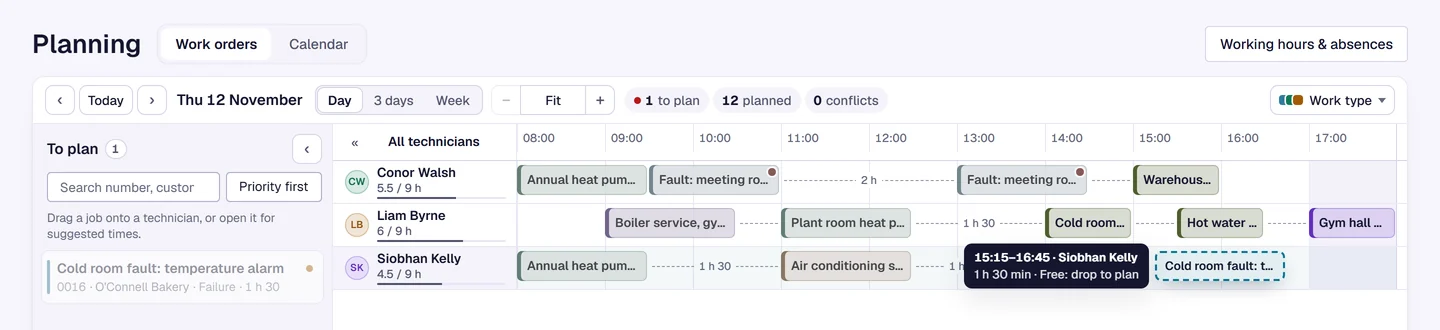
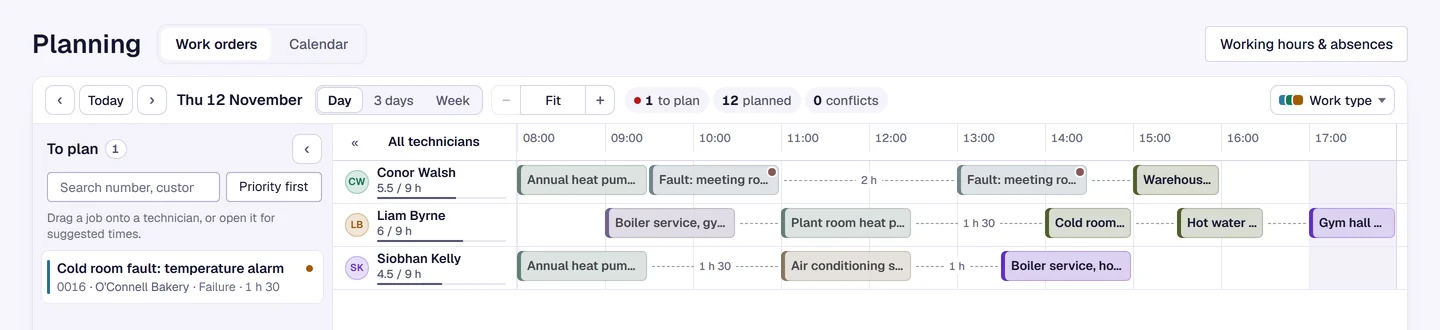
Each technician's day, three days or a week, with the jobs still to plan beside it, sorted by priority. Drag a job onto a technician's free time, or open it and EVORIV suggests times that fit.
Business App · Planning
Available today
Planning shows each technician's day next to the work still to plan. Drag a job onto a technician, see conflicts before they happen, and the change reaches the technician's phone.
EVORIV Open BetaNo credit card
What Planning does
Each technician's day, three days or a week, with the jobs still to plan beside it, sorted by priority. Drag a job onto a technician's free time, or open it and EVORIV suggests times that fit.
Double bookings and jobs outside working hours are flagged on the technician and the day, so you fix them before the morning call.
Record when each technician works and when they are away, so the board only offers time that is really free.
Appointments for the whole team in one calendar, with overlap checks.
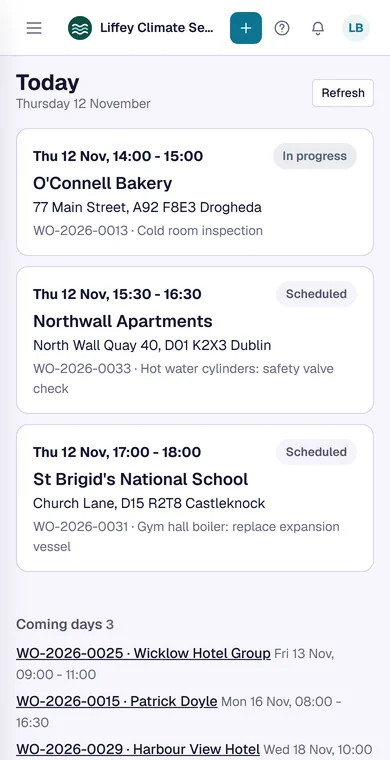
What you plan appears in the technician's Today view. Move a job and they see the change.
Planning is available to every workspace: add it yourself in Settings, Apps. Travel time between jobs is not estimated and routes are not optimised.
FAQ
Try EVORIV on your own workflows and help shape what we build next. No credit card required.
Sales, Operations, Planning and Portals are available today · Support is rolling out during Early Access