

Every customer, on one page.
Most small teams keep the customer in five places: the CRM, the inbox, a spreadsheet, a helpdesk and someone's notes. EVORIV keeps one record per customer, and every App and every person works from it.
No credit card
What one shared record gives you
Walk into every call prepared
The deals, the last conversation and how healthy the relationship is, before you dial.
No copies to keep in line
Sales and Support read the same Companies and Contacts. Nothing has to be synced.
Handovers without the briefing
Anyone with access sees the full history, so a colleague can pick up where you left off.
The relationship at a glance.
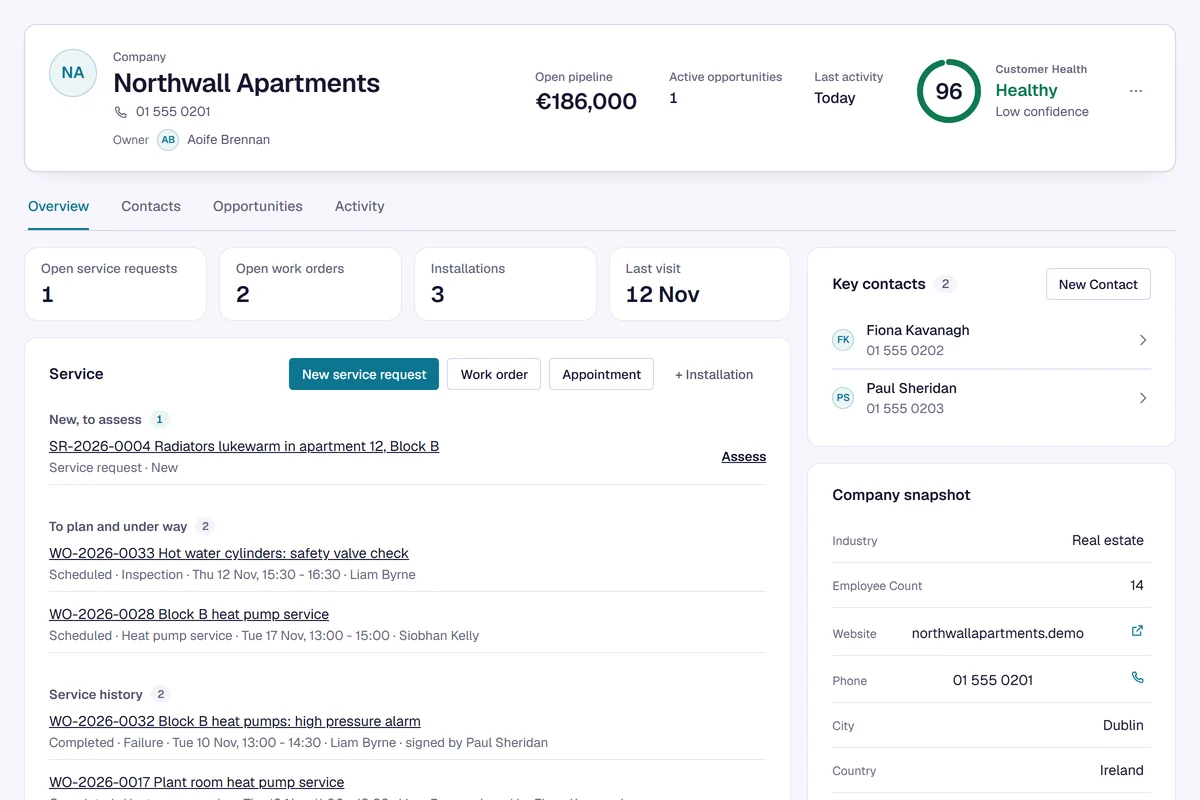
A company page opens with Customer Health and the commercial picture: open pipeline, won business and the deal in play. Below it, the key contacts, the recent activity and the company snapshot. The side column holds the files and quote PDFs.
- Customer Health in the header
- Open and won deals with their value
- Key contacts and one activity timeline
Every conversation stays with the customer.
Log a call, a meeting or a note in two sentences. Send an email from the lead, contact or opportunity, and it is kept on the record's history. When the customer replies, the reply shows up in My Work for the person who needs to act on it.
Agreements and quotes, next to the deal.
Signed agreements and requirements live on the company, beside the issued PDF of every quote, each linked to its quote and version. They open in EVORIV's own viewer, so nobody has to search a shared drive.
Sales knows what Support knows.
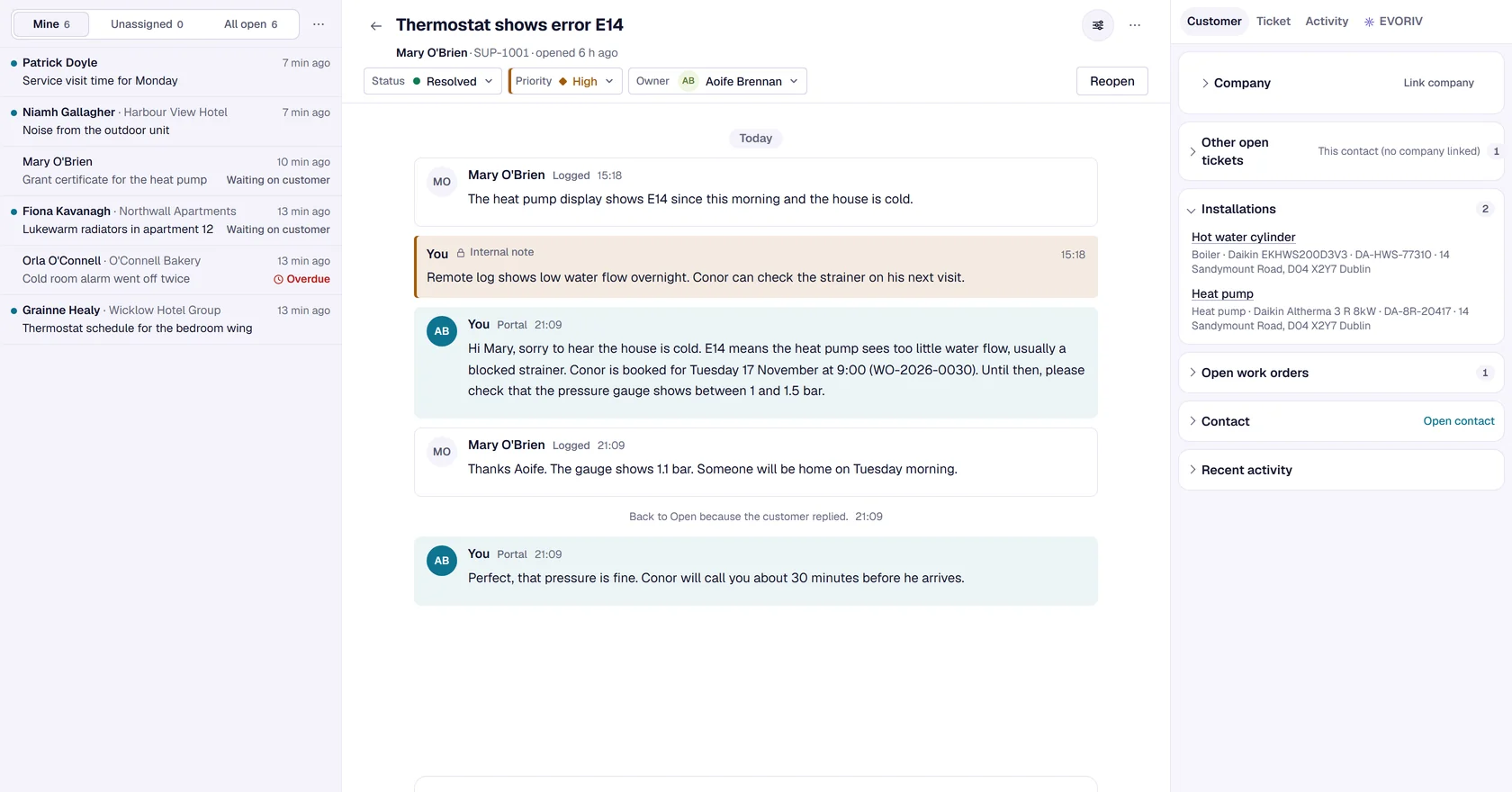
Where Support is enabled, a ticket opens beside the customer's company, contact, open deals and earlier tickets, and survey answers land on the customer as Customer Signals. Sales sees the open tickets and the latest feedback before the renewal call.
Support is rolling out during Early Access and is enabled on request, workspace by workspace.
Questions about Customer 360
What is Customer 360 in EVORIV?
Do I need Support to use it?
Can I change what the company page shows?
Who can see a customer?
Related on EVORIV
Customer Health
A 0 to 100 score per customer, calculated by fixed rules and explained line by line.
Read moreStudio: the visual builders
Record pages, home pages, emails, forms, portals and automations, shaped without code.
Read moreEVORIV Sales
Leads, pipeline, products, quotes and follow-up: the Business App you can start with today.
Read moreOne customer. One shared context.
Start with Sales today, bring your customers, and open the first company page.