

Report an issue, get a number
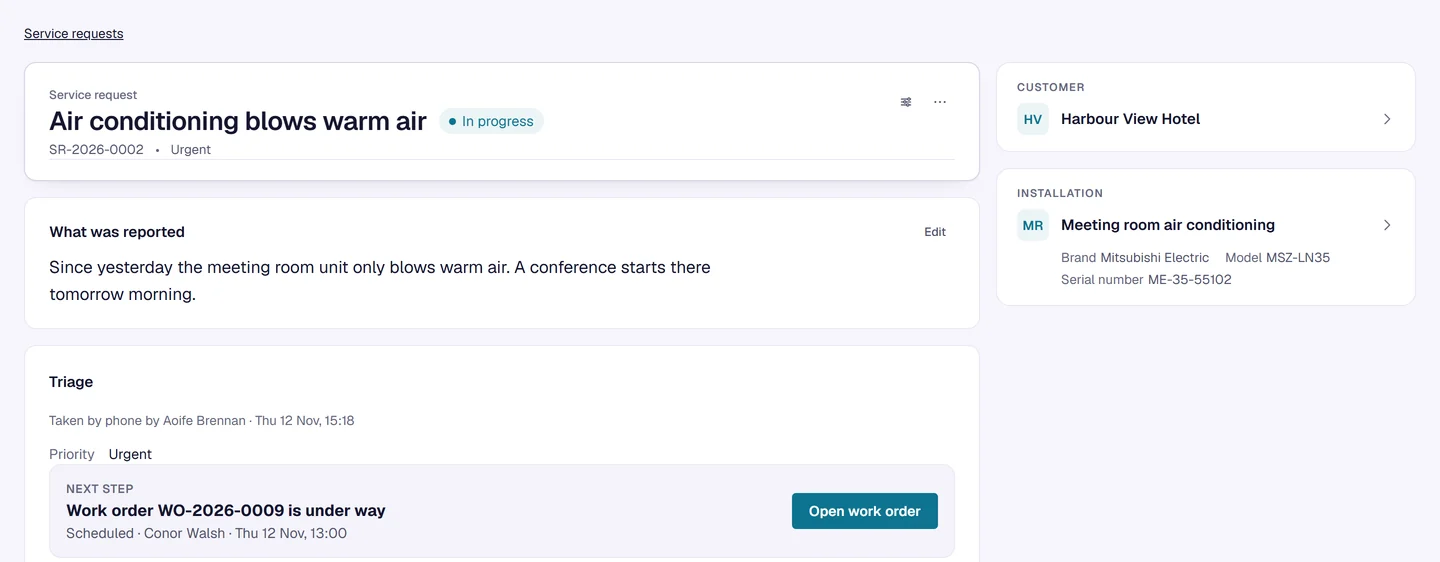
A customer reports an issue in the portal and gets a confirmation with its number. It arrives in Operations as a service request on their installation.
Business App · Portals
Available today
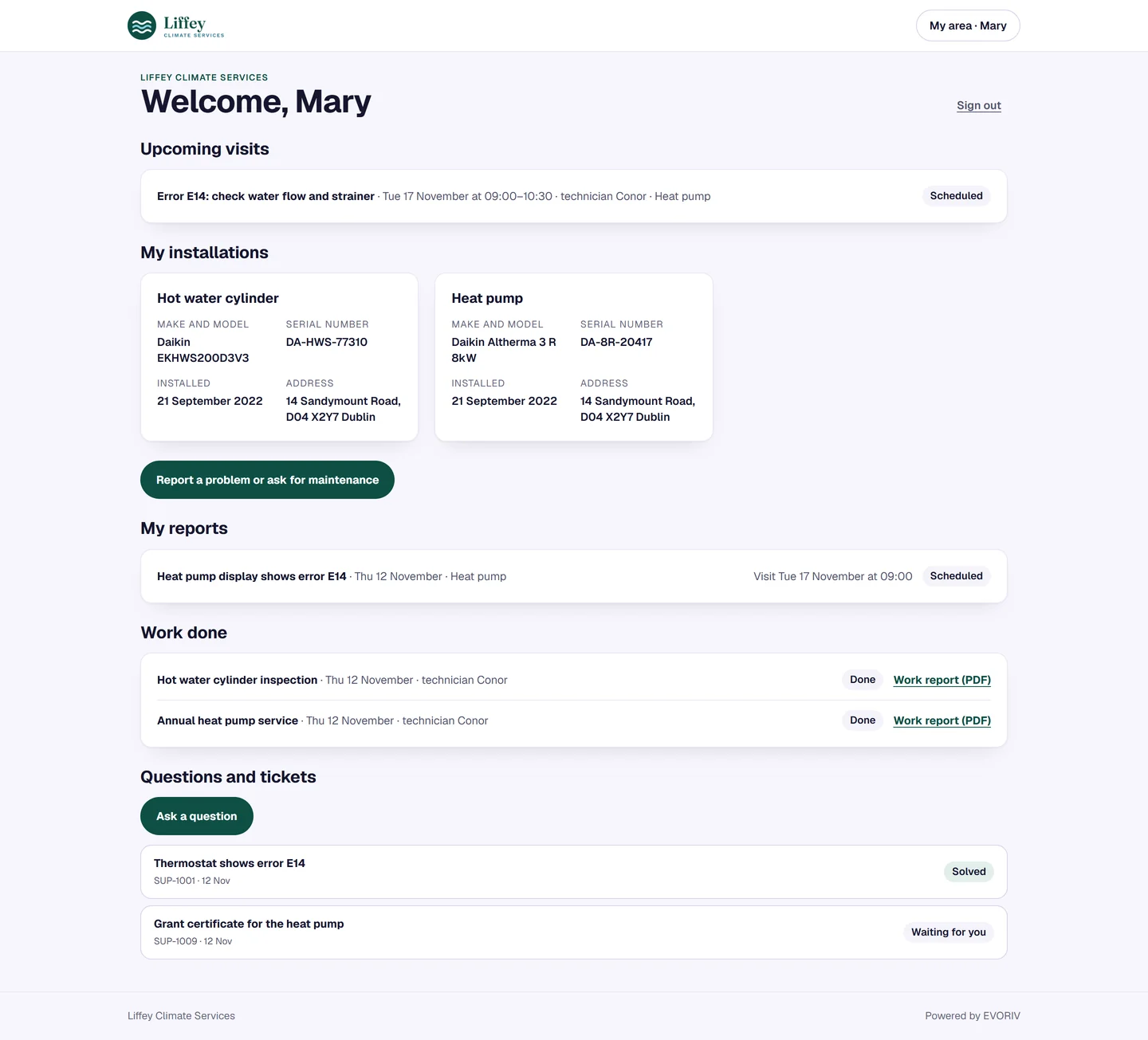
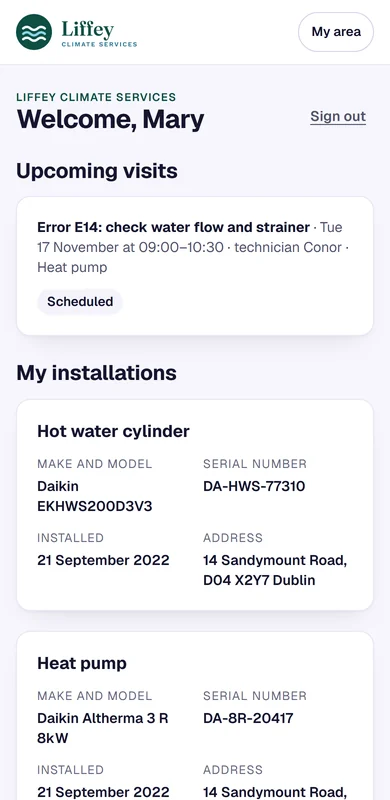
Your customers see their installations, upcoming visits and the work done with its work reports as PDFs, and report an issue themselves. In your logo and colours, on a computer and on a phone.
EVORIV Open BetaNo credit card
✓ Your customer's portal, in your brand
✓ On their phone too
How you set it up
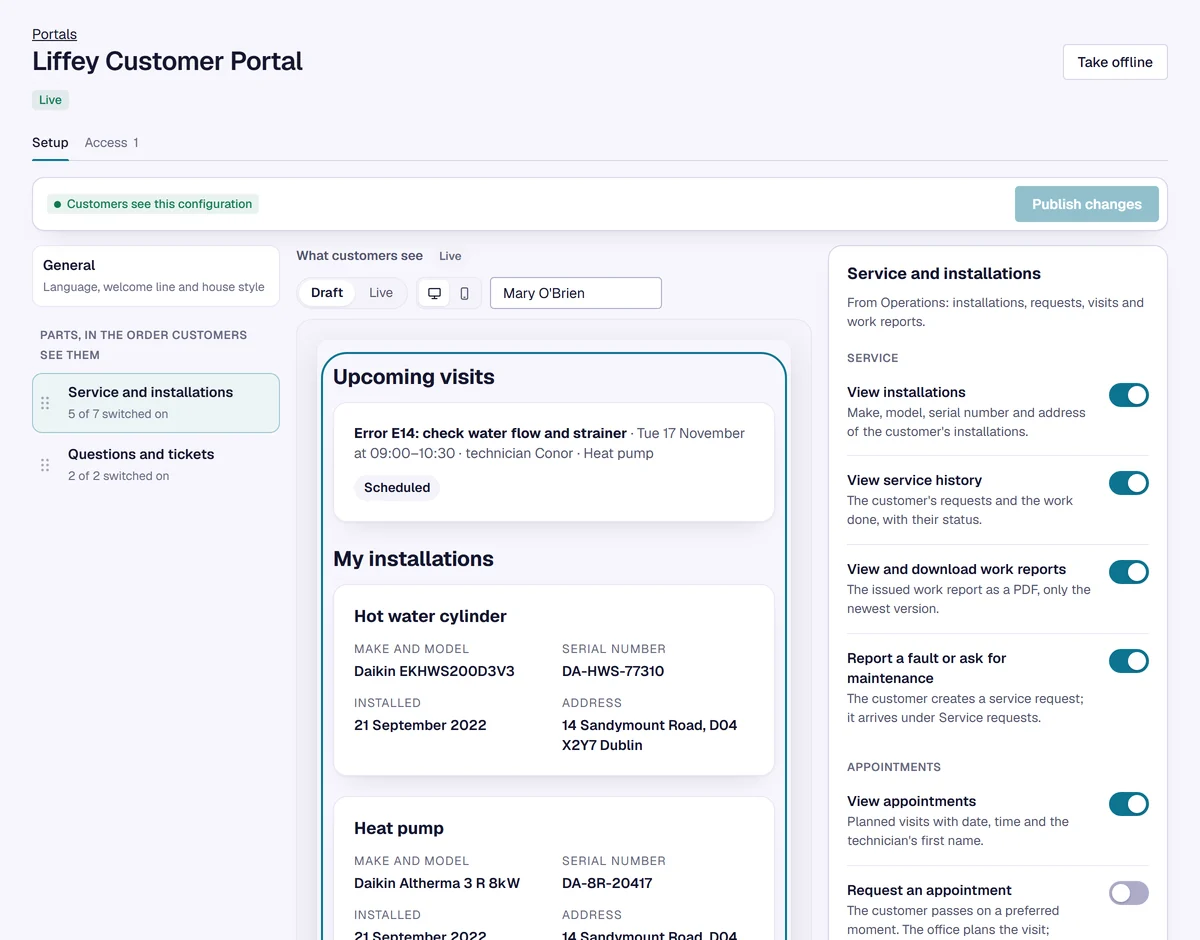
Choose what customers see part by part, preview the portal as one of your customers and publish. Logo and colours come from your brand kit. You decide which contacts get access.
What Portals does
A customer reports an issue in the portal and gets a confirmation with its number. It arrives in Operations as a service request on their installation.
Customers see their installations with brand, model and serial number, the service history and the latest version of each issued work report as a PDF.
Switch each part on or off, set the language, welcome line and house style, and preview the portal as one of your customers before you publish.
You decide which contacts get access, and take it away at any time. Automations can grant access and, from your own verified sending address, invite the customer or tell them their work report is ready.
Portals is available to every workspace: add it yourself in Settings, Apps. A portal is only visible to the customers you give access to.
FAQ
Try EVORIV on your own workflows and help shape what we build next. No credit card required.
Sales, Operations, Planning and Portals are available today · Support is rolling out during Early Access