

One foundation. The Apps you need on top.
One customer. One shared context. EVORIV holds the customer record once, reads the relationship with Customer Health, and lets each team work the way their job requires. Business software, configured around how your company works.
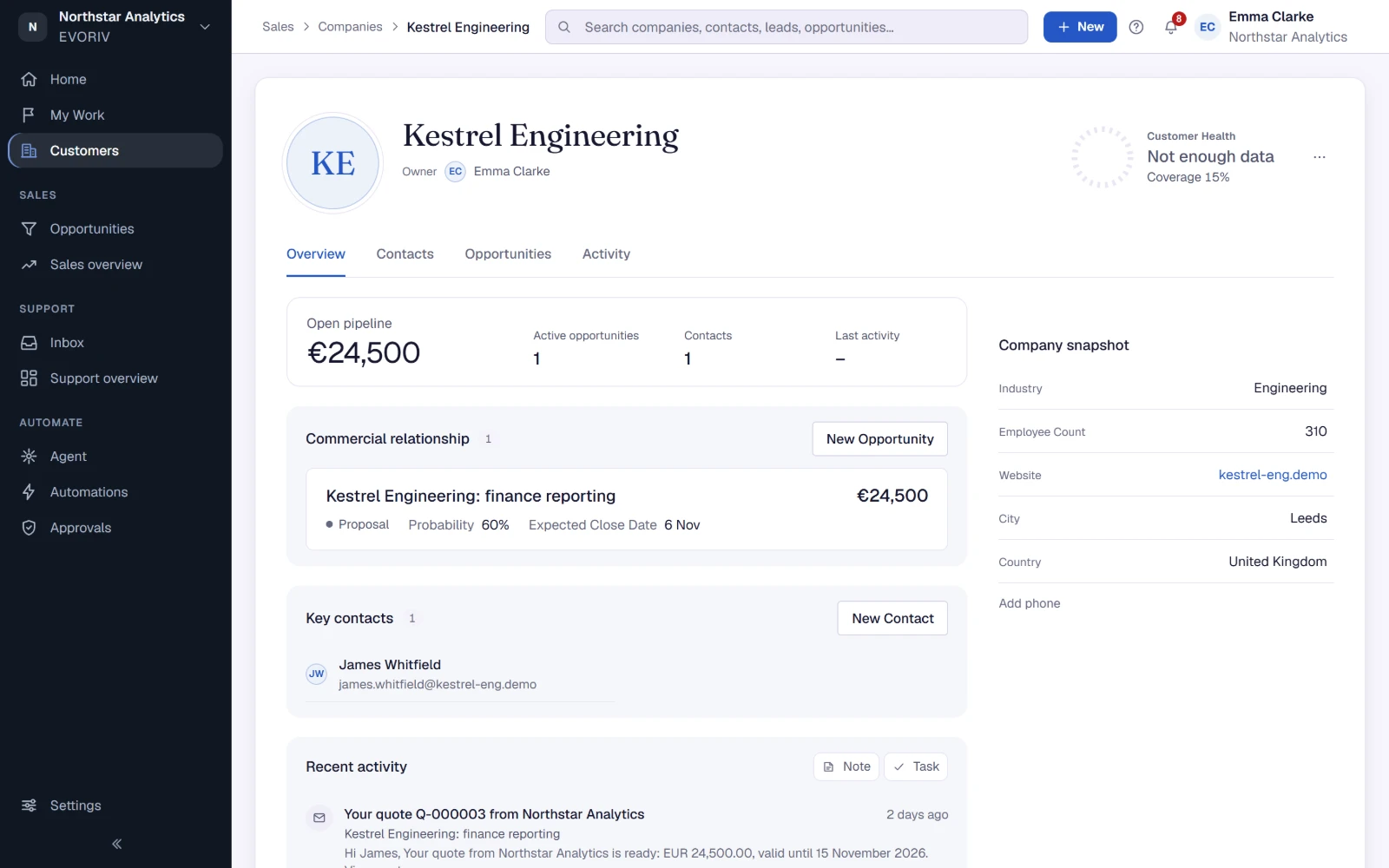
Home, Sales and Support, one workspace.
One Home for the whole business, the pipeline, a deal with its products and price, the Support Inbox, a ticket beside its customer and the Support overview. Recorded in the real product, without cuts between Apps.
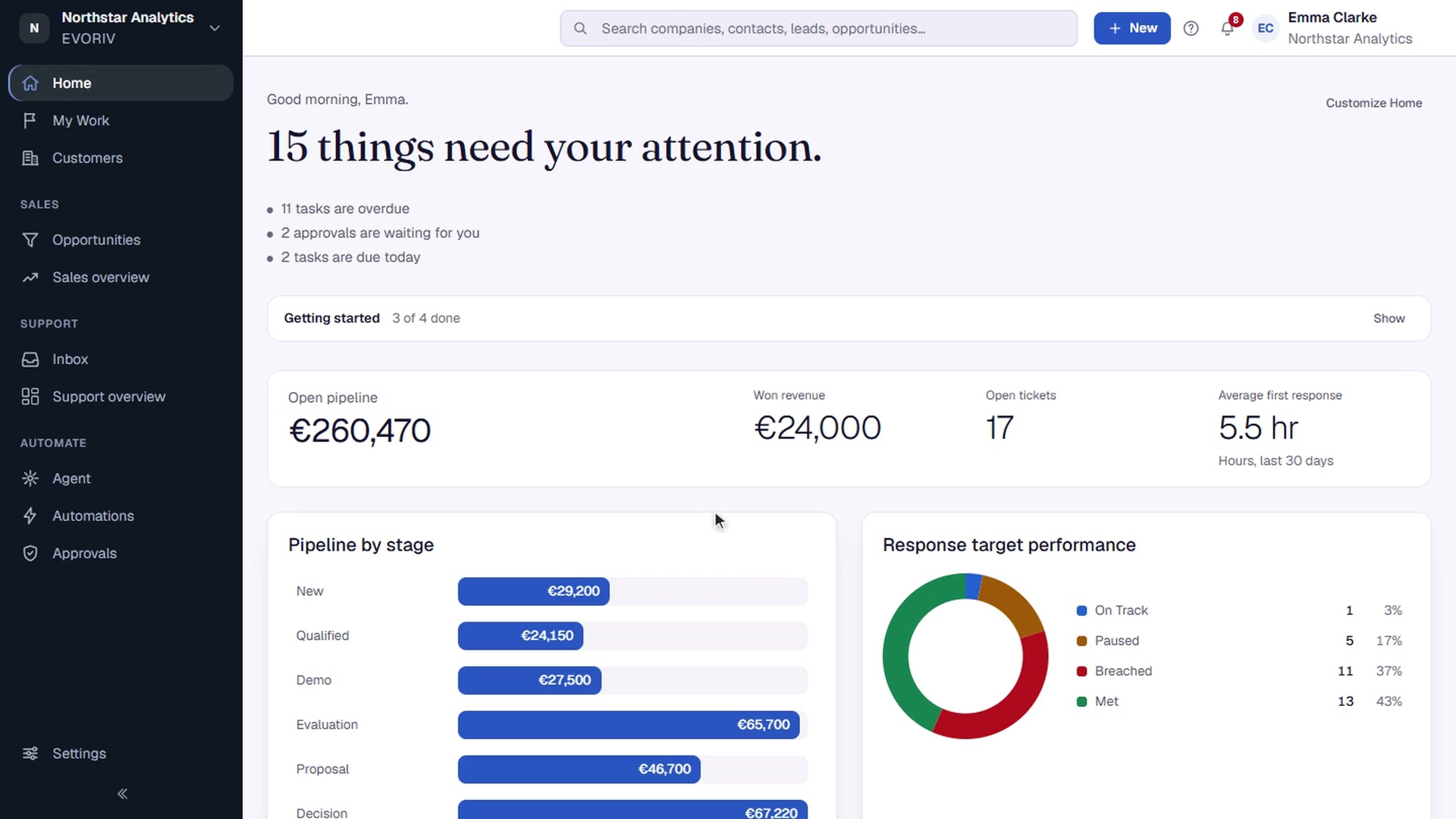
One customer record every App shares.
Sales and Support work on the same Companies, Contacts and history, so a Company page shows the deals, the tickets, the open tasks and what the customer told you in one place. No App keeps its own copy, and no integration has to keep two copies aligned.
Apps
Companies
The organisations you do business with, held once.
Contacts
The people, linked to the company they work for.
Activities
Calls, meetings, notes, emails and tasks in order.
Transactions
The commercial record: opportunities, products and quotes.
A health score you can explain.
Customer Health scores every customer from 0 to 100 across four dimensions: Relationship, Commercial, Support and Customer voice. The score comes from fixed rules, not from AI, and you set the weights and where Watch and At risk begin. Why? shows the reasons, every change is kept in the history, and a customer without enough data says so instead of showing a guess.
Customer Signals, such as CSAT and NPS answers, land on the same record and feed the score. A dashboard shows the whole portfolio, and the Companies list can be filtered and sorted by Health.

Rules that turn context into work.
An automation reads as a plain plan: when this happens, wait, check, then do that. It can start from a deal moving stage, a sent quote or a change in Customer Health, and every run stays on the record it touched. Sequences handle the follow-up emails; My Work collects what needs each person today.

You start by working, not by configuring.
The usual route
Value arrives after the project.
- 01Configure the data model
- 02Customise screens and fields
- 03Run an implementation project
- 04Train everyone on the result
- 05Maintain it as the business changes
The EVORIV route
Working in the same session.
- 01Name your company
- 02Start fresh, or bring the exports you already have
- 03Start working in a ready sales workspace
Configuration you do yourself.
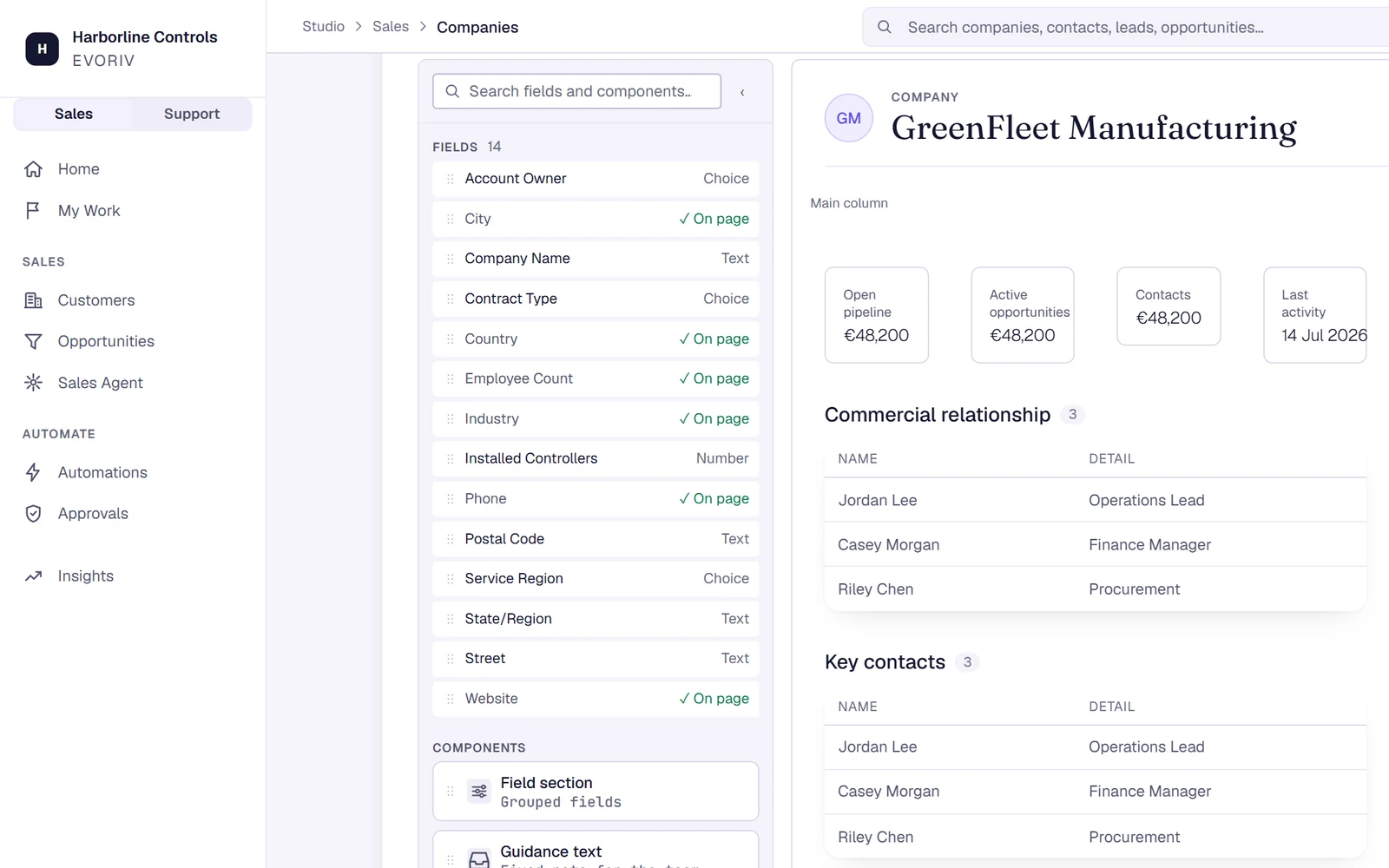
When your process needs more, it is there. Studio shapes the fields you capture. Page Builder places fields and App blocks, such as Customer Health, on the record page. AI Builder takes a change you describe in plain words, shows you the plan, and applies it once you agree.
What the first hour looks like.
- 1
Create your workspace
One workspace holds your data, Apps and users.
- 2
Start fresh or bring your data
Start with a ready sales pipeline, or drop in the spreadsheets and exports you already have.
- 3
Review what EVORIV found
Companies, contacts, deals, activities and tasks, connected. You only answer what EVORIV cannot be sure of, and nothing is written until you import.
- 4
Invite your team
Add your people and set who owns what.
Access decided once, enforced everywhere.
Roles are defined at workspace level and applied on every request, so a person's access does not depend on which App or screen they happen to be on.
Roles, not screen tricks
Permissions are enforced by the platform on every read and write, not by hiding buttons in the interface.
Your data stays yours
Records live in your own workspace, and the same data is what every App reads.
Approvals where a person decides
AI prepares the work. Emails and changes that need a person wait in Approvals.
See it with your own data.
Start with Sales today, bring a sample of your companies and contacts, and judge it from there. Support is rolling out during Early Access.