

Make it fit.
Without becoming an administrator.
Studio translates your business language into the workspace your team uses. Stop managing technical schemas and start deciding what information you actually capture.

The business-language principle.
Traditional systems ask you to think in tables and columns. Studio asks a simpler question: what do you need to know about a deal?
CREATE TABLE opportunities (
  id UUID PRIMARY KEY,
  amount DECIMAL(10,2),
  stage_id INT,
  expected_close DATE,
  custom_field_1 VARCHAR(255)
);
- We track the deal size
- Deals move through sales stages
- We need the expected close date
Two decisions, not a configuration project.
Studio separates what you capture from how it is presented. That is the whole model.
1. Define the information
Rename the fields your team already argues about, and add the ones your process needs. Each field is described in words (a name, what it means, whether it is required), not as a data type puzzle.
2. Design the record page
Page Builder decides which fields, sections and App blocks appear on a company, contact, lead or opportunity, and in what order, then you publish. Everyone in the workspace sees the same page immediately.
Pipeline stages are set in Settings, under Pipeline & stages. The record layout builder places fields and App blocks, such as Customer Health, on the record page.
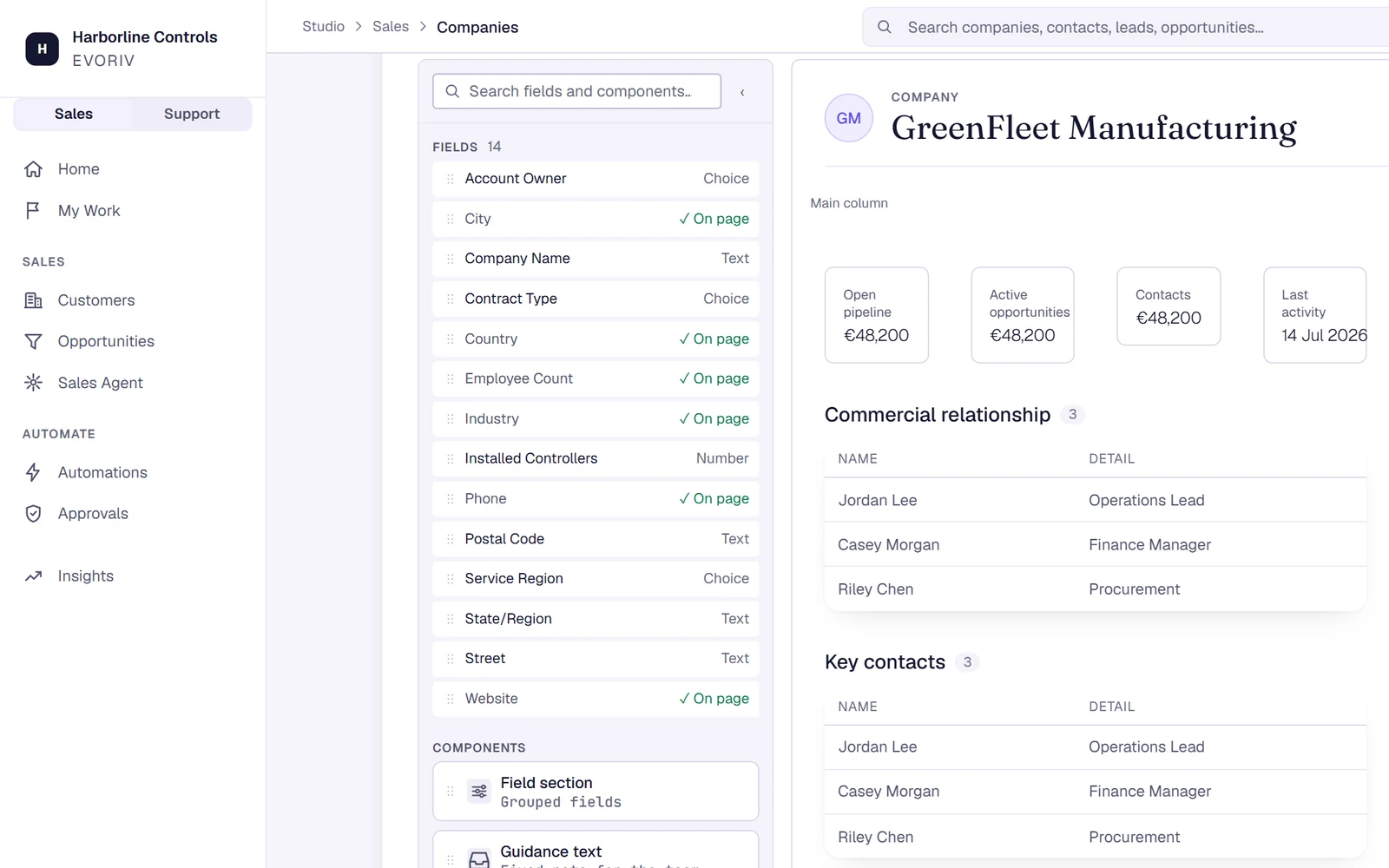
Page Builder: the Company page composed from fields and App blocks.
Adapt it once you are working.
Start with Sales, work a few real deals, then shape your workspace around what you learned. Or describe the change to AI Builder and read the plan first.