

Set up Customer Health
Turn Customer Health on or off, choose what matters most with a preset or your own weights, and set where Healthy and Watch start.
Open Settings, then under Apps select Customer Health. Only workspace admins can change these settings. Anyone else who opens the page sees Only a workspace admin can change these.
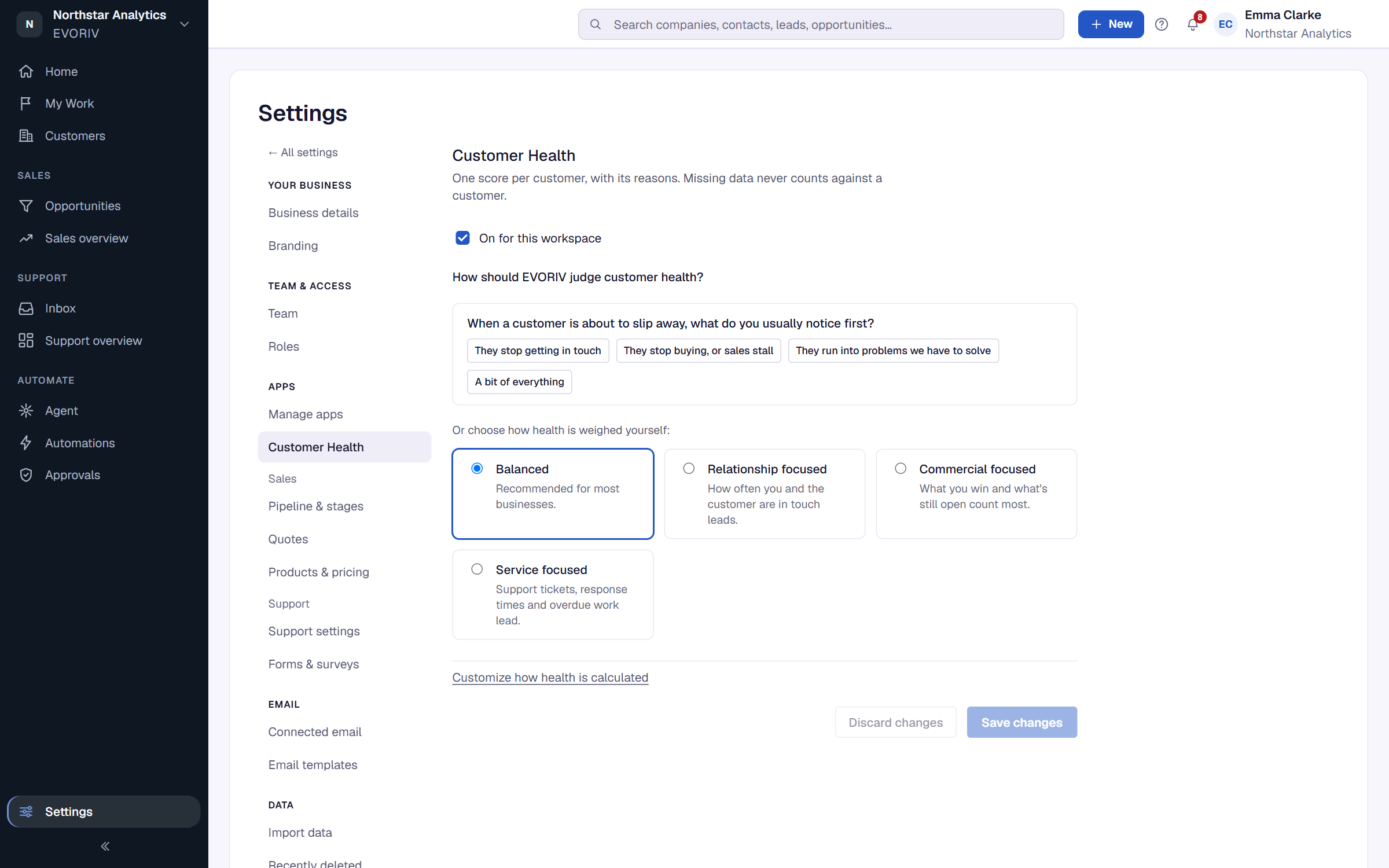
Turn it on or off
Use the checkbox at the top: On for this workspace or Off for this workspace. When it is off, no scores are shown or calculated, and Health automations do not run.
What matters most
Choose a preset. The weights are for Relationship, Commercial, Support and Customer voice:
- Balanced (the default): 25, 15, 25 and 35. Every part counts, with what customers say weighing most.
- Relationship focused: 40, 15, 15 and 30.
- Commercial focused: 20, 35, 15 and 30.
- Service focused: 15, 10, 40 and 35.
- Custom: set each weight yourself, as a whole number from 0 to 100.
Parts of Health
Under Parts of Health you see each part with its weight and its signals. You can switch off a part or a single signal you don't want counted. A part with weight 0 doesn't count at all.
Where the lines sit
Healthy from is 75 and Watch from is 50 by default. Below Watch, a customer is At risk.
If something doesn't add up, EVORIV says so before saving, for example Watch must start below Healthy, and both must be between 1 and 100., Each weight must be a whole number from 0 to 100. or Turn on at least one part with a weight above 0.
Save
Select Save changes. EVORIV confirms: Saved. Every customer is being rescored with the new settings.