

The Customer Health dashboard
A ready-made dashboard with Health today, Health over time, the customers who need attention, recent changes and recovering customers.
EVORIV creates the Customer Health dashboard for your workspace and publishes it. Open Sales overview, select Reports, then Dashboards, and choose Customer Health.
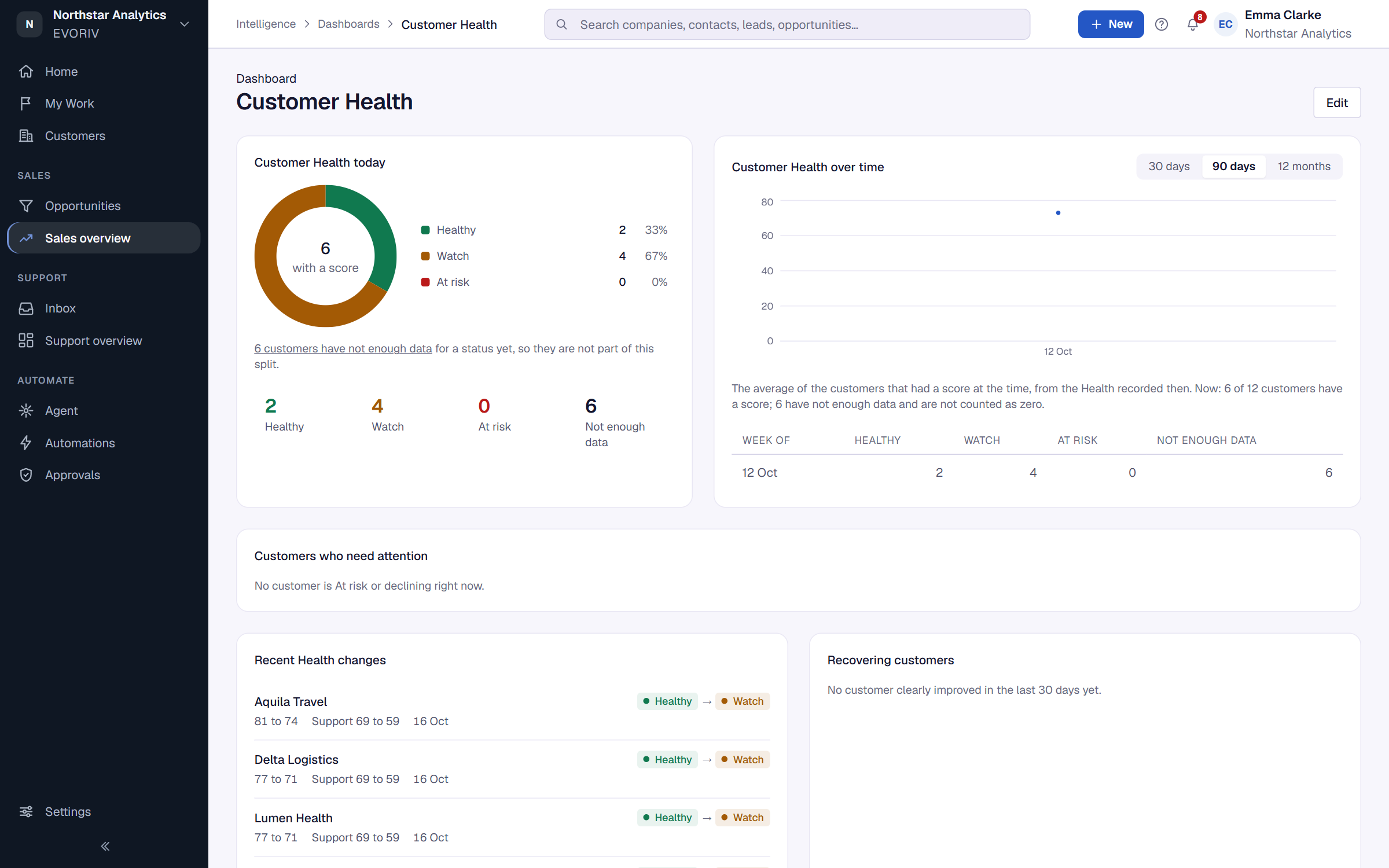
What's on it
- Customer Health today: how many customers are Healthy, Watch, At risk and Not enough data right now.
- Customer Health over time: how the statuses changed, over 30 days, 90 days or 12 months.
- Customers who need attention: the customers to look at first, with the columns Customer, Health, Status, 30 days, Main reason, Owner and Follow-up. All At risk customers opens the full list.
- Recent Health changes: every customer that changed status in the last 30 days.
- Recovering customers: customers who clearly improved in the last 30 days.
You can also add a Customers at risk number to any dashboard of your own. See Build a dashboard.