

How automations work
A trigger, optional conditions and a wait, and the ordered actions EVORIV takes.
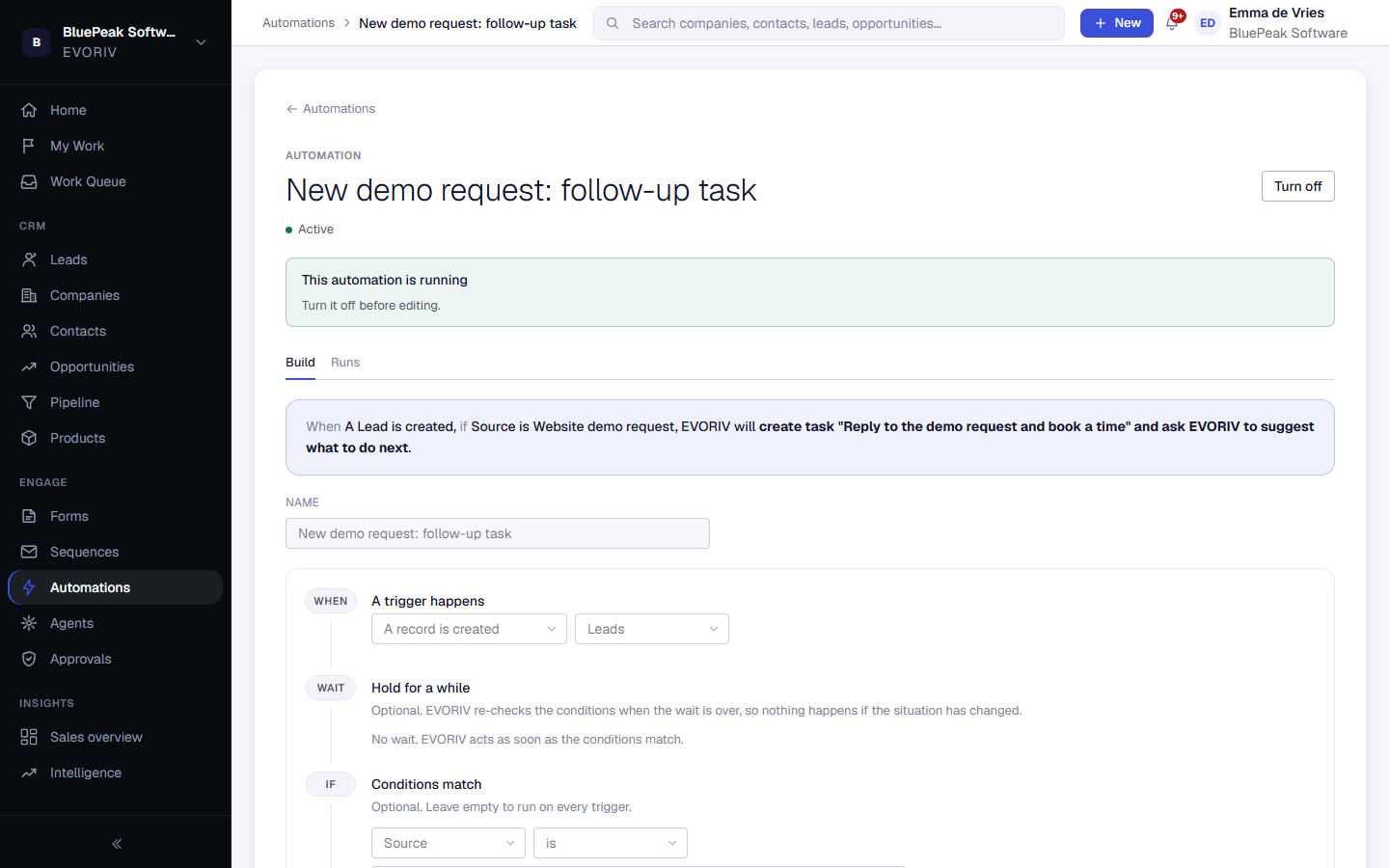
An automation has four parts, in order:
- A trigger happens: for example a lead is created, an opportunity's stage changes, or another system sends EVORIV a message.
- Hold for a while (optional): wait minutes, hours or days before continuing.
- Conditions match (optional): only continue when a field has a certain value, for example the lead's source is Website demo request.
- EVORIV does this: one or more actions, in order.
Actions
Actions include Create task, Send email (from a saved template or written in place), Update a field, Move to stage, Assign owner, Log activity, Enrol in sequence, Send HTTP request and Ask EVORIV to suggest what to do.