

Read the Customer Health explanation
Open the Why? explanation on a company to see the score per part, what needs attention, what helps, and how Health changed over 90 days.
Every score explains itself. Open a company and select the Customer Health badge in the header, or select the Customer Health block on the page (it says Why?). The explanation opens beside the record, titled Customer Health.
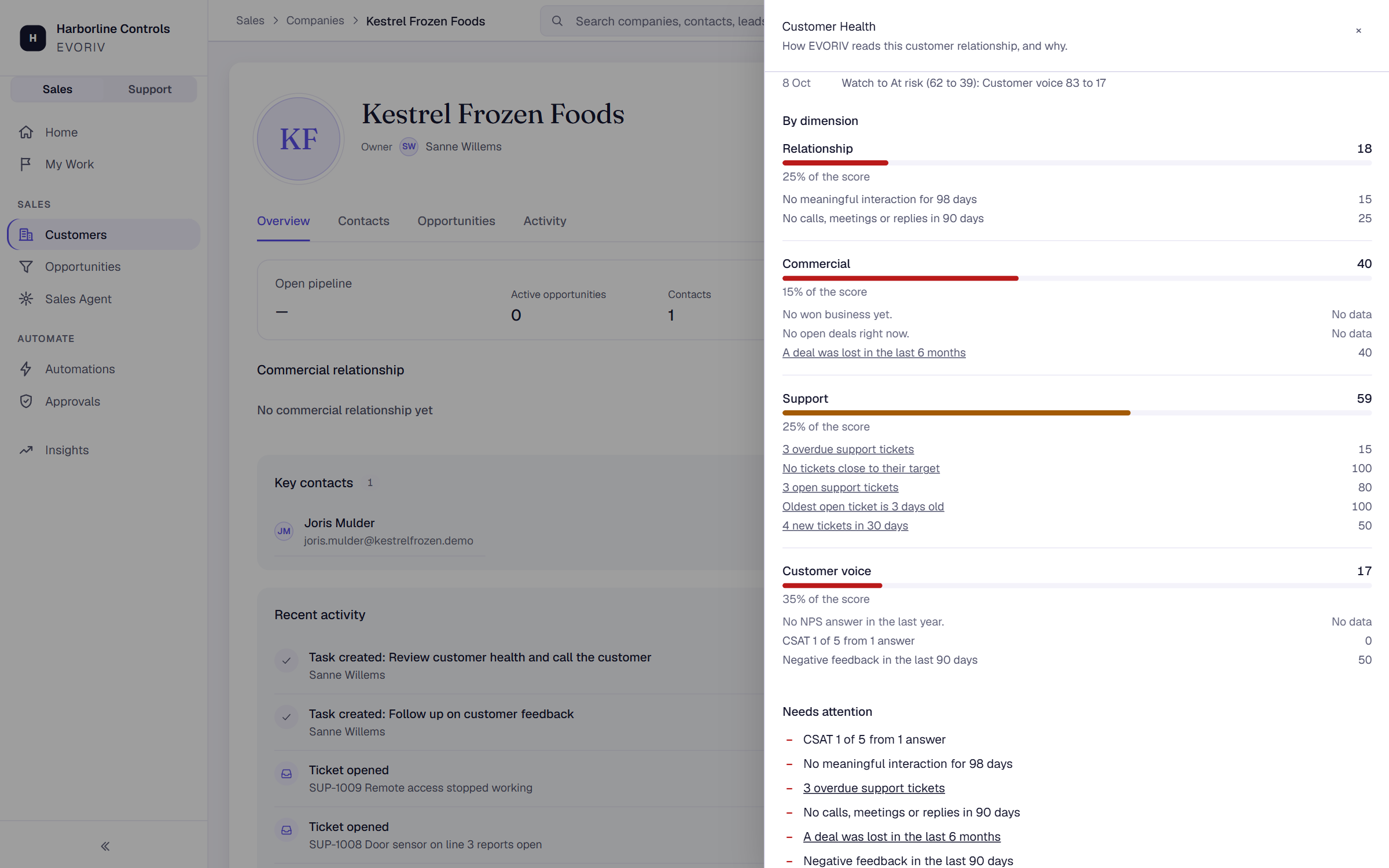
What it shows
- The score, status and trend, for example Declining, ↓ 12 in 30 days, and how much of what Health weighs has data.
- By dimension: the score of each part, Relationship, Commercial, Support and Customer voice, with each signal behind it. A part with nothing to go on says Not counted: nothing to go on yet, so it does not lower the score.
- Needs attention: the signals that score 50 or lower, with the reason in plain words, for example No meaningful interaction for 41 days.
- Helping: the signals that score 75 or higher.
- Over the last 90 days: a chart of the score, and every status change with the date and what moved, for example Watch to At risk (55 to 42): Support 70 to 30.
How the trend works
The trend compares today's score with the score from about 30 days ago. A move of 5 points or more shows as up or down, for example ↑ 8 in 30 days. A smaller move shows Stable over 30 days. A company Health has only just started scoring shows No trend yet.