

Email templates
Write an email once and reuse it from the composer, sequences, automations and the Sales Agent.
Templates live in Settings, under Email, then Templates. Your team, your automations and the Sales Agent all send from them.
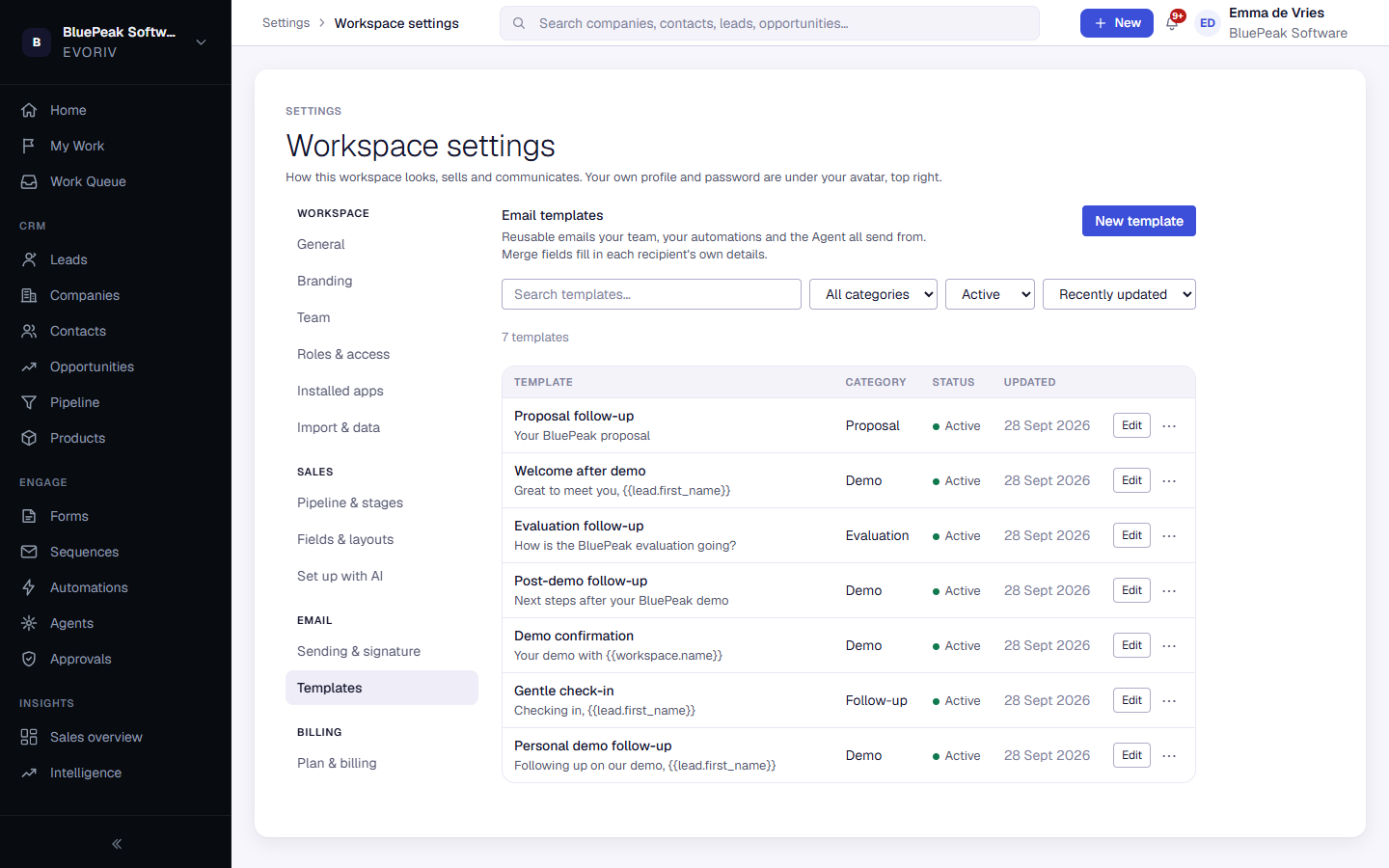
Find a template
Search by name, or filter by category (Sales, Follow-up, Confirmation, Onboarding, Support or Custom) and by status: Active or Retired.
Create or edit a template
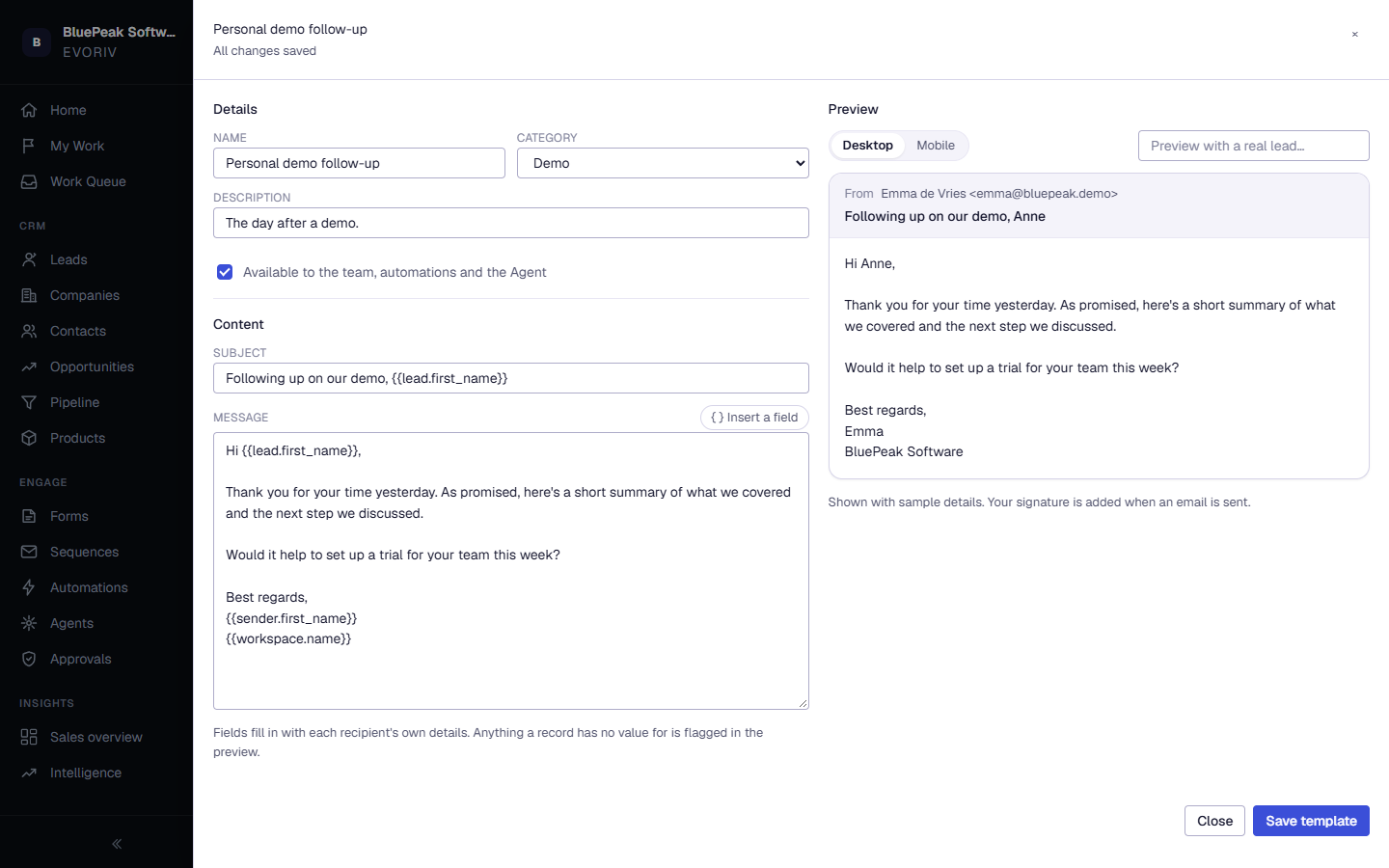
- Select New template, or Edit on an existing one.
- Under Details, give it a name, a category and a short description.
- Under Content, write the subject and message. Insert merge fields from the Merge fields panel.
- Select Create template or Save template.
Merge fields
Merge fields fill in each recipient's own details, for example {{contact.first_name}}, {{company.name}} or {{sender.first_name}}. Anything a record has no value for is flagged in the preview.
Preview
Switch between Desktop and Mobile. The preview uses sample details, or select Preview with a real lead to see exactly what one person would receive.
Duplicate, retire or delete
Use the menu next to Edit to Preview, Duplicate, Retire or Delete a template. A retired template is kept but no longer offered; select Restore to bring it back.