

A customer health score you can explain.
Customer Health gives every customer a score from 0 to 100 and a status: Healthy, Watch or At risk. It is calculated by fixed rules you can read, not guessed by AI, and Why? shows exactly what moved it.
No credit card

What Customer Health tells you
Who needs attention today
At risk and Watch customers stand out on the dashboard and in the Companies list.
Why, in plain words
Each part of the score shows its reasons and what would help.
What happens next
An automation can create the follow-up task the moment a customer becomes At risk.
Relationship, Commercial, Support and Customer voice.
Relationship reads how recently and how often you had a real conversation: a call, a meeting or a reply from the customer. Commercial reads won and lost deals and what is open. Support reads tickets and response targets. Customer voice reads the customer's own survey answers.
- The same facts always give the same score
- Every change is kept, with what caused it
- Not enough data is shown as such, never as a low score
- Relationship
- Calls, meetings and customer replies: how recent, and how many in the last 90 days. An email you send on its own never counts
- Commercial
- Won and lost deals, and the business that is open
- Support
- Open and overdue tickets, and response targets met or missed
- Customer voice
- The customer's own CSAT and NPS answers, comments included
Support and Customer voice need Support, which is rolling out during Early Access and enabled on request.
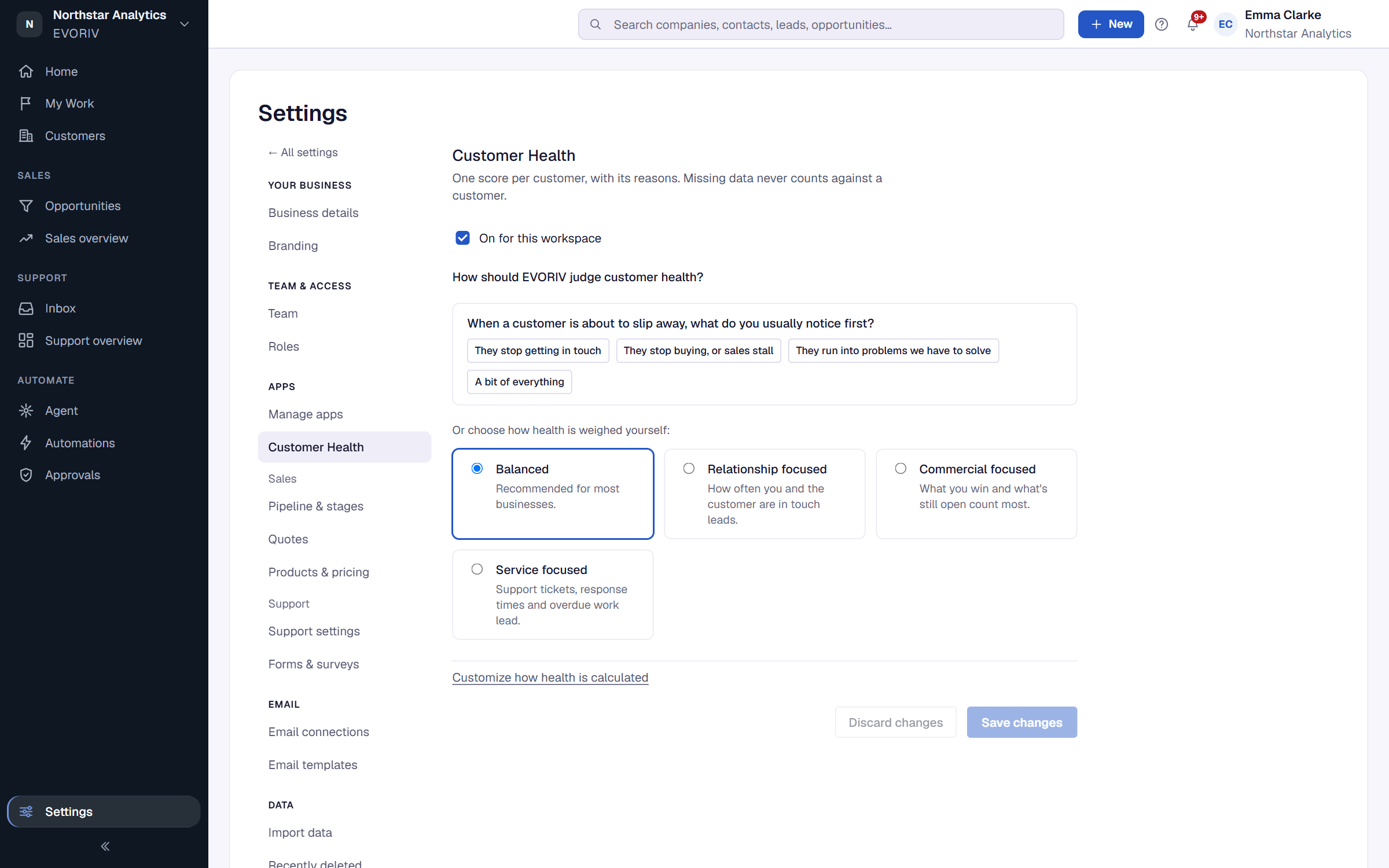
You decide what matters for your business.
Choose how much each dimension weighs and where Watch and At risk begin. A service business may weigh Support heavily; a project business may weigh Relationship. Without Support, switch off the Support and Customer voice parts and Health runs on your sales data alone.
Healthy customers, and the ones slipping away.
The company page shows the score in its header, beside the open pipeline and the last activity. The Companies list can be filtered and sorted by Health, and the dashboard counts Healthy, Watch and At risk, with customers that lack data counted separately.

Turn a falling score into a task.
Customer Health is a trigger like any other. When a customer becomes At risk, an automation can create a task for the company owner, and the reason stays on the customer. A customer with too little data never becomes At risk, and a company's first score never starts an automation.

How a customer moves from Watch to At risk.
Ardmore Logistics is a fictional customer in EVORIV's demo workspace. Every step is the product's own result.
It goes quiet
No call, meeting or reply for 95 days. Relationship drops.
A deal is lost
The lost opportunity lowers the Commercial part.
The customer says so
Survey answers of 1 out of 5, with a comment, land on the company as Customer Signals.
Health changes status
The score moves from Watch to At risk, and Why? lists each reason.
The owner gets a task
The automation creates "Review customer health and call the customer" for the company owner.
Support tickets and survey answers need Support enabled for the workspace. Relationship and Commercial work on Sales data alone.
Questions about Customer Health
How is the Customer Health Score calculated?
Is the score generated by AI?
What if a customer has little data?
Can I use Customer Health without the Support App?
Can Customer Health start an automation?
Related on EVORIV
Customer 360
One record per customer: deals, contacts, activity, files, Health and Support side by side.
Read moreAutomations and Agents
Plain-language rules for the steps that always happen, and agents that ask before they act.
Read moreEVORIV Support
A shared inbox with the customer in view. Rolling out during Early Access, enabled on request.
Read moreKnow which customers need you, and why.
Start with Sales today. Customer Health reads your sales data from the first day.