

Automation for the busywork. Agents that ask first.
Automations handle the steps that always happen: the follow-up task, the welcome email, the owner assignment. Agents read your records, notice what needs attention and prepare the work. Anything that needs a person waits in Approvals.
No credit card
What automation takes off your plate
Rules in plain words
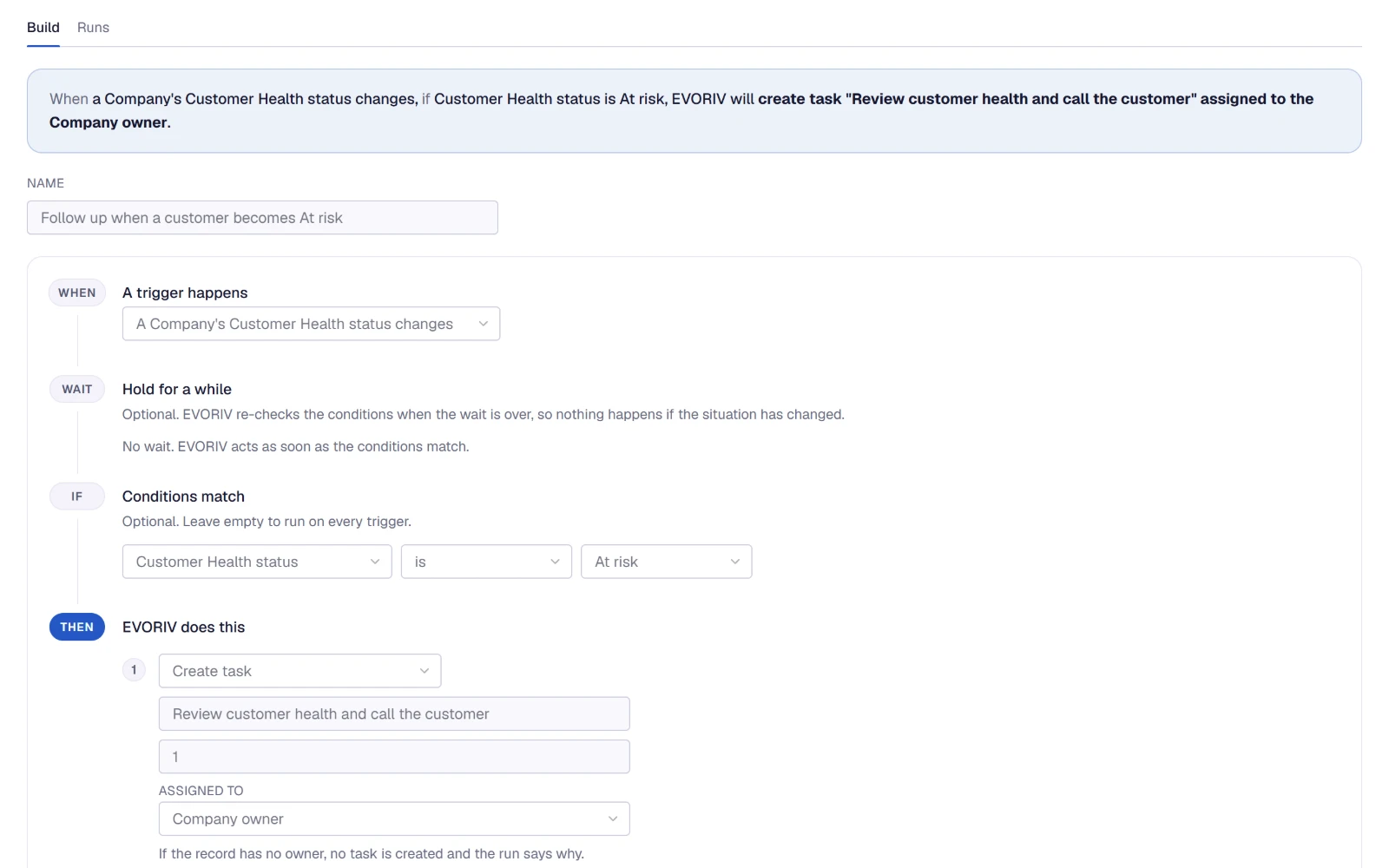
Every automation reads as a plan: when, wait, if, then. No code and no flowchart.
Start from a recipe
Common outcomes are ready to review and switch on in under a minute.
A person decides
Steps marked Ask a person first, and every email the Sales Agent drafts, wait for approval.
When this happens, do that.
An automation starts when something changes: a lead is created, a deal moves stage, a task is created, or a customer's Health changes. It can wait minutes, hours or days, check its conditions again, then create a task, send an email, update a field, move the stage, assign an owner, log an activity or enrol a lead in a sequence.
- Every run is on the record it touched
- A failed run explains itself in My Work
- Loop protection stops automations setting each other off

Start from a common outcome.
Pick a recipe, fill in the details that matter and switch it on. Each one sets up a complete automation that you read before it runs.
- Chase deals waiting on a quote
- A follow-up task for the deal owner when a sent quote gets no answer
- Follow up every new lead
- A follow-up the moment a new lead arrives
- Welcome new contacts by email
- A welcome email to each new contact
- Follow up when a customer becomes At risk
- A task for the company owner, with the reason on the customer
- Follow up on negative feedback
- A task when a customer leaves a low rating (with Support)
Follow-up that happens in order.
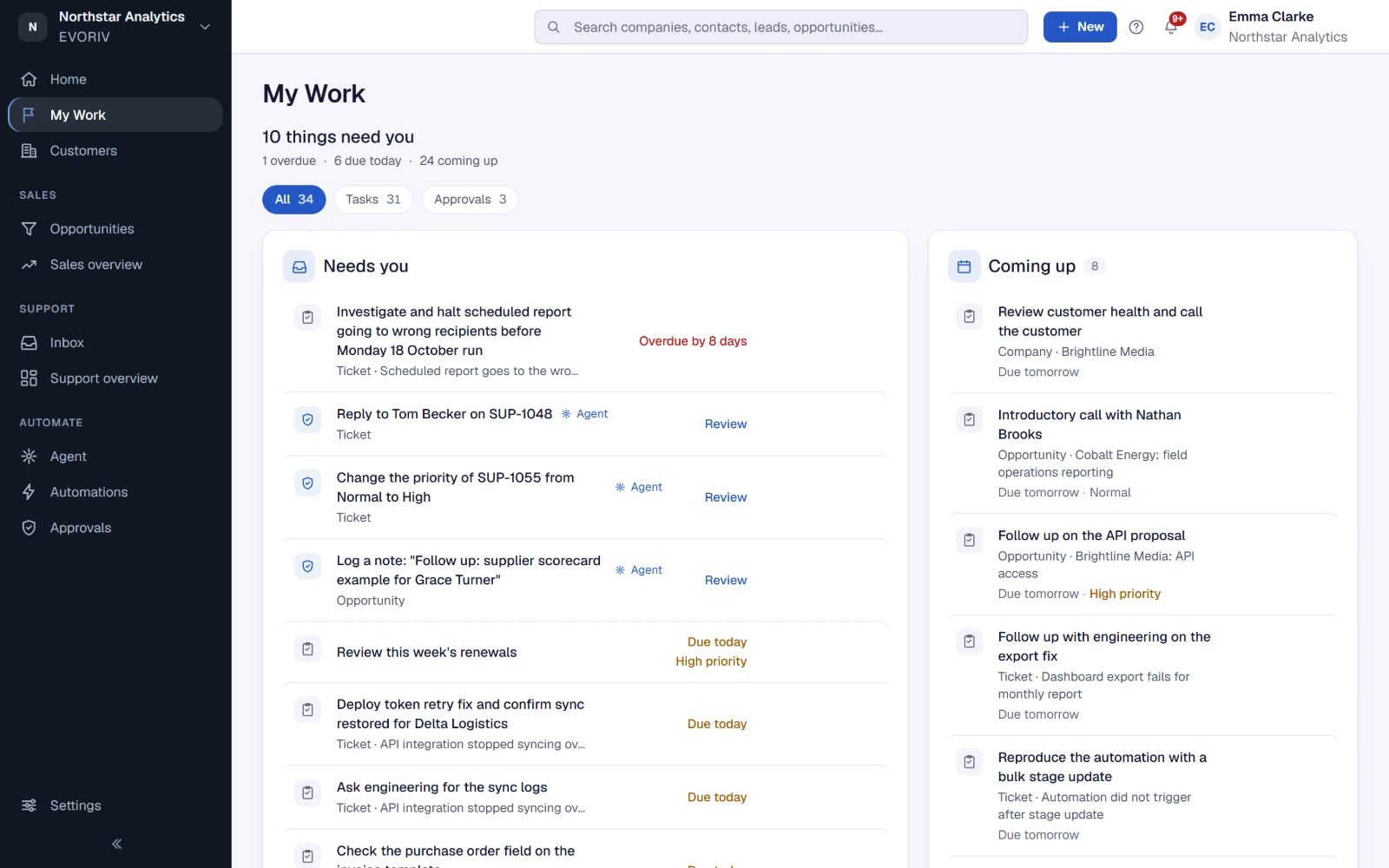
A sequence lines up each lead's next email and call. The emails are reviewed and sent from My Work, so nobody receives an email you have not seen. My Work also collects the tasks due today, the customers who replied and the approvals waiting for you.
AI that prepares the work.
The Sales Agent reviews your open leads and deals: what has gone quiet, what is overdue, what closes soon. It explains what it noticed and proposes the follow-up, the task or the next step. It works on behalf of a person in your workspace and has exactly their access.
- Switched on per workspace by an admin
- A personal email, a stage change or a field change always waits for you
- You choose whether tasks and notes wait for approval too

AI prepares. You decide.
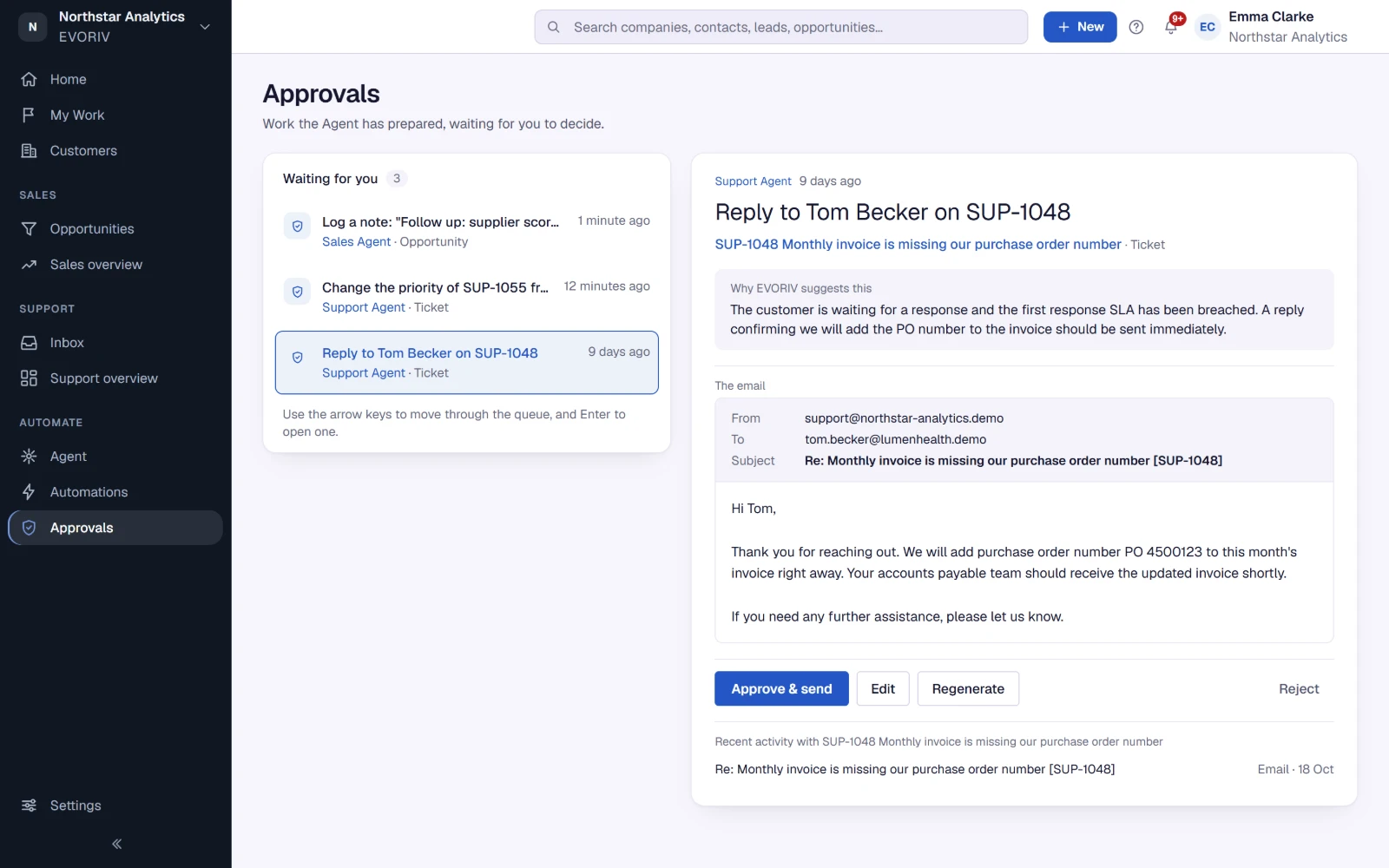
Approvals shows why EVORIV suggests something, the email exactly as it will arrive or the change it will make, and the recent activity on the record. Approve and send, edit, ask for a new draft or reject. A rejected draft is never sent.
The Support Agent drafts replies to tickets the same way, where Support is enabled during Early Access.
Questions about automations and agents
Will EVORIV email my customers on its own?
Do I need to write code or rules?
What does the Sales Agent need?
Can automations react to Customer Health?
Related on EVORIV
AI Builder
Describe a change to your workspace in plain words, read the plan, and apply it.
Read moreCustomer Health
A 0 to 100 score per customer, calculated by fixed rules and explained line by line.
Read moreQuotes
Price the deal from your products and send a quote your customer accepts online.
Read moreLet EVORIV do the busywork.
Start with Sales today and switch on your first automation in under a minute.